If you receive an error message of “Not Authorized” when attempting to access Paragon, it is most likely the result of a recent Chrome update and your individual settings within the browser.
Follow the below instructions to resolve this error:
1) Open Settings in Chrome:
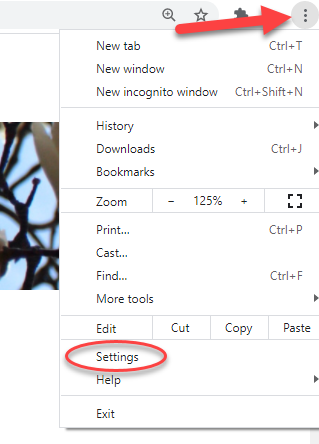
2) You then want to verify that Google is set as the default search engine:

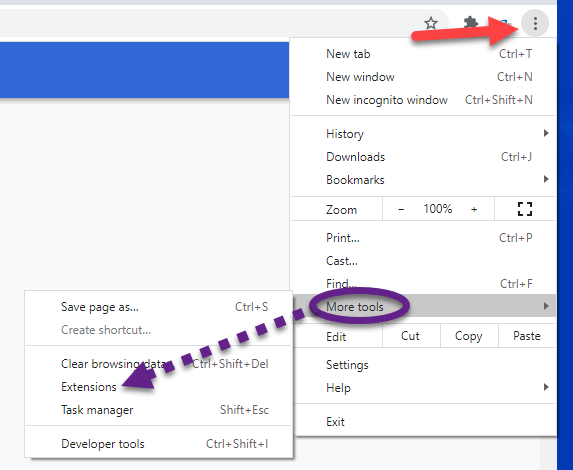
3) Additionally, we learned that some "Add-on's" to the browser could also be the culprit. To remove "add-ons" follow these steps to disable or delete any that were recently added: