You can review how many visitors to the sites are looking at your listings and more with the member side of PrimeMLS.com and Commercial.PrimeMLS.com. This page will explain how!
Step 1: Access the member side
Log in to your PrimeMLS account at PrimeMLS.com
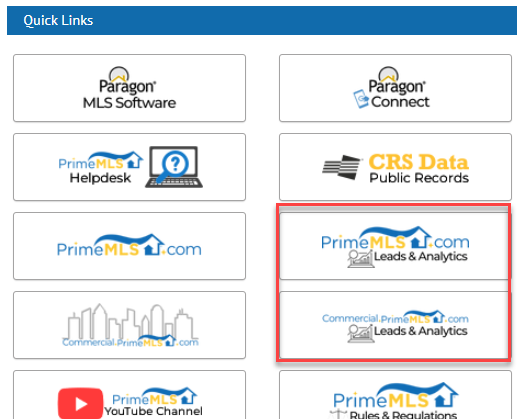
From the PrimeMLS Dashboard, click on the icon for the "PrimeMLS.com Leads & Analytics" button or "Commercial.PrimeMLS.com Leads & Analytics" button. As a reminder, all classes except for Commercial classes are on PrimeMLS.com, while Commercial Sale and Commercial Lease are both on the Commercial site.
Step 2: Review statistics
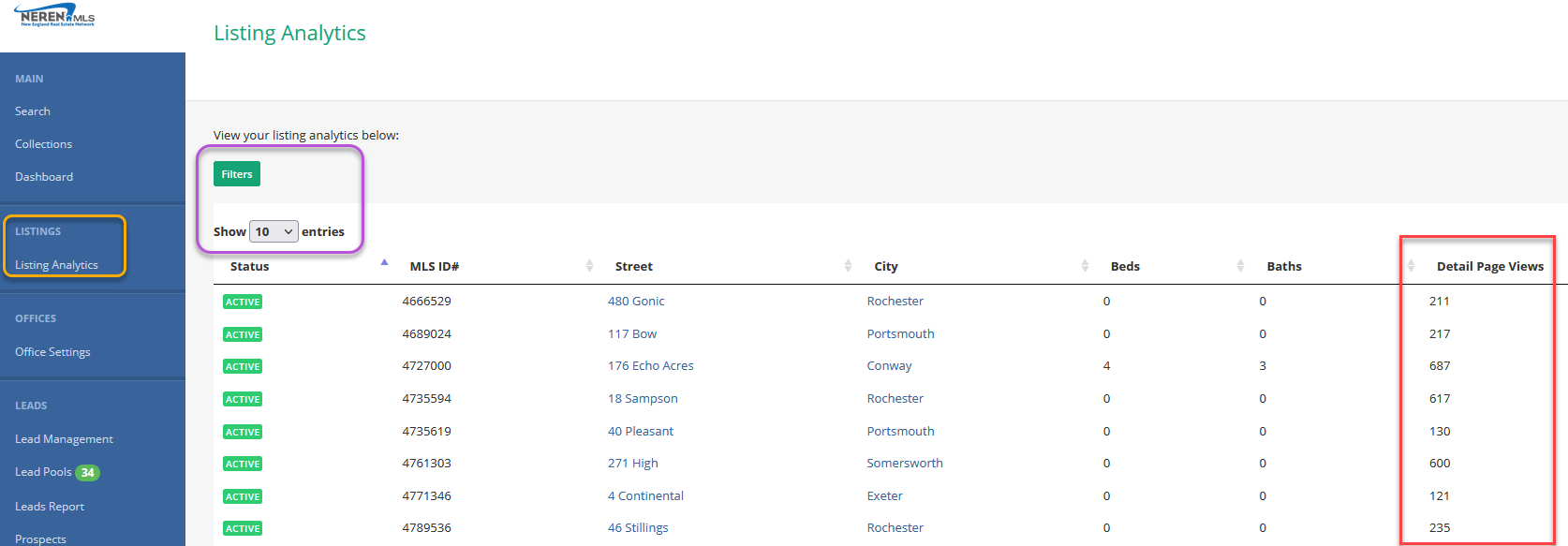
Once on the member side, click "Listing Analytics" from the blue menu on the right.
This loads your inventory, 10 at a time and the default status is Active.
Open "Filters" and you can include other statuses.
Under "Detail Page Views" you can see how many times the detail view for your listing has been visited.