
Within each agent's profile on the PrimeMLS Public Websites is a unique code. Once shared with your customers and clients, they can enter it into their own PrimeMLS.com or Commercial.PrimeMLS.com account and be connected with you through the website. This guide explains where you can find your Agent Code and what that does for you.
AGENT CODES
Obtaining Your Agent Code
Step 1: Access Member Side
Go to the PrimeMLS Dashboard and choose "PrimeMLS.com Leads & Analytics" or "Commercial.PrimeMLS.com Leads & Analytics."
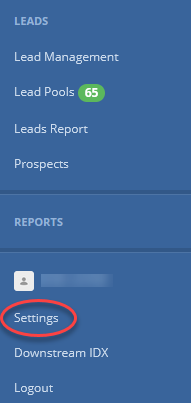
From the blue panel on the left, choose "Settings."
Step 2: Obtain Code
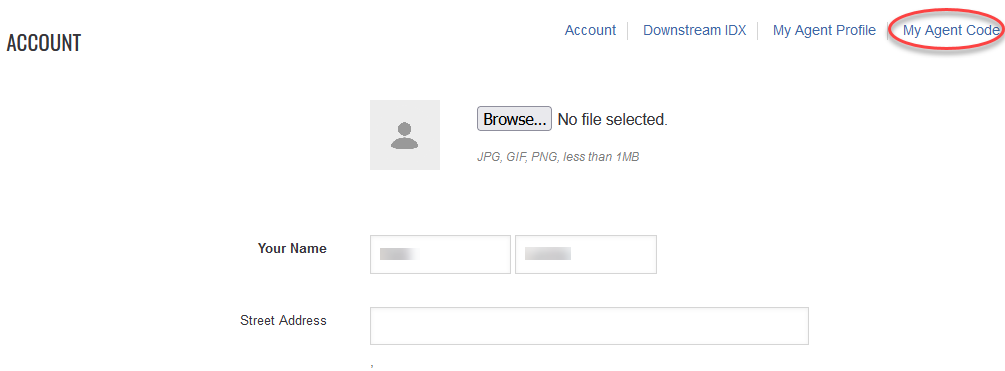
From the menu in the top right, choose "My Agent Code."
You will see your unique code populate on the page.
Benefits of Sharing Your Agent Code
Share your agent code with customers and clients and anyone you would like. The code is unique to you and will not change.
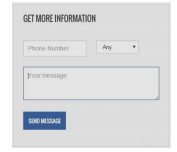 When consumers create their own accounts with the site, they can indicate that they have an agent's code. Once connected, the "Contact a List Agent" box on every listing will update to "Get More Information" and their inquiries will be sent directly to you as their connected agent.
At any point you or the consumer may disconnect.