It's easier than ever to add and edit your open houses thanks to Paragon Connect! Whether you're on a laptop, tablet, or phone, you have the access you need to quickly add these events! Watch the video below to learn how.
Adding an Open House or Tour from the Paragon Connect App (instructions applicable from any device)
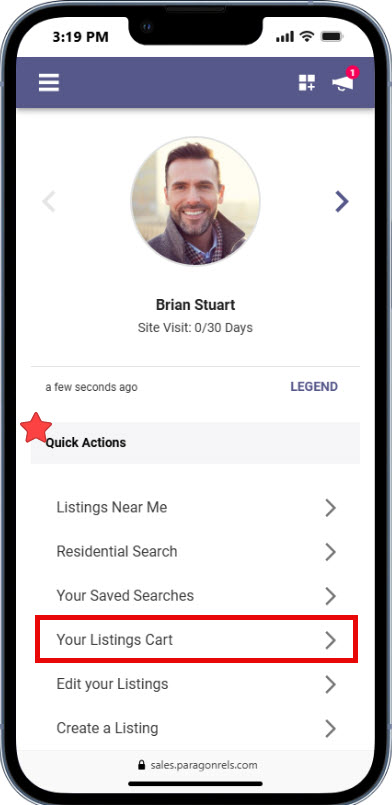
1. From your Paragon Connect Dashboard go to Quck Actions and select "Edit Listings"
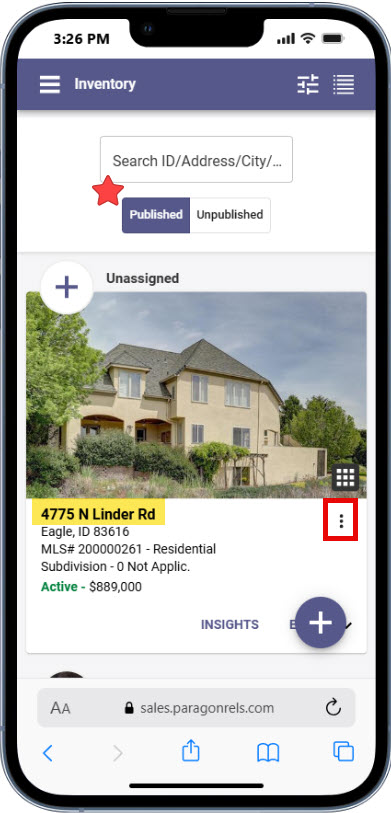
2. Select from your Published or Unpublished listings to find the address you want to add an Open House and click on the snowman menu (3 vertical dots) to the left of the property address to go to 'Actions"
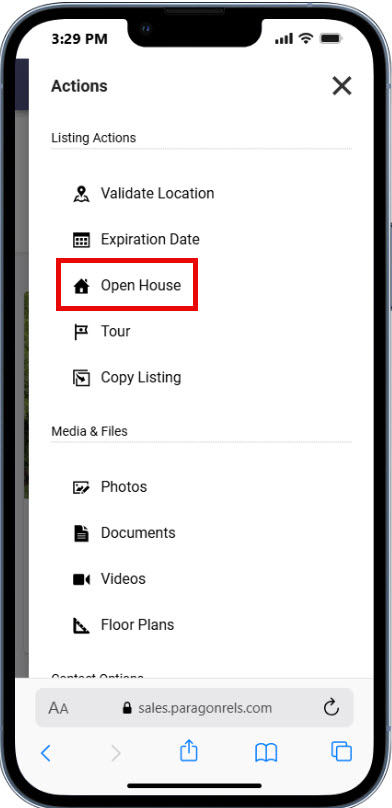
3. From Actions, under "Listing Actions", select "Open House" (for the public) or "Tours" (for agents)
4. If adding a Live Stream Open House make that seletion and add the URL
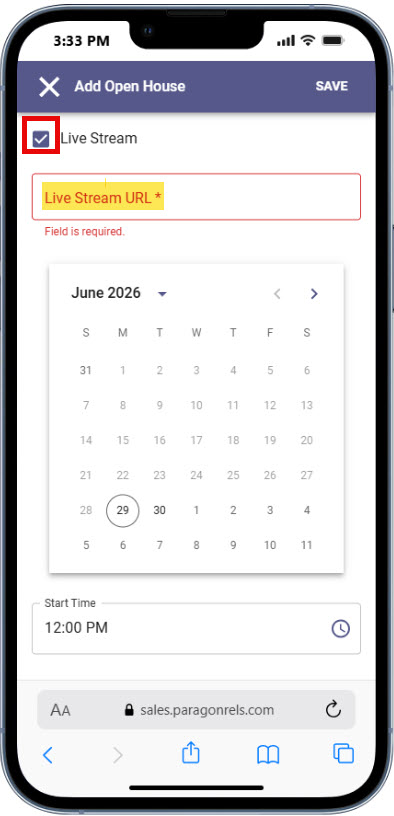
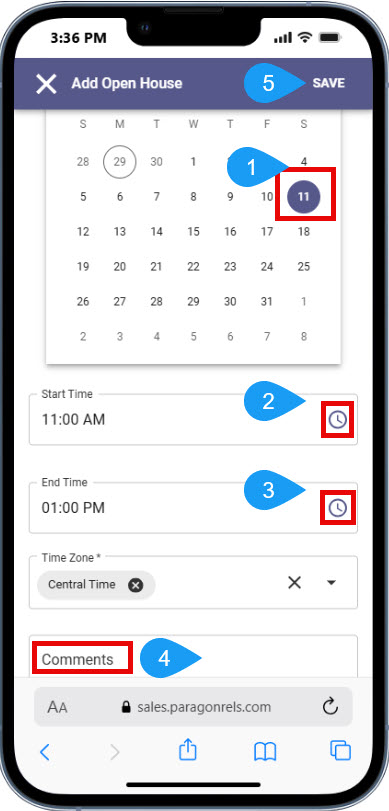
5. For a live Open House select the date from the calendar, add the start and end time by clicking on the clock and setting the arrows to the appropiate time, add any necessary Comments and Save
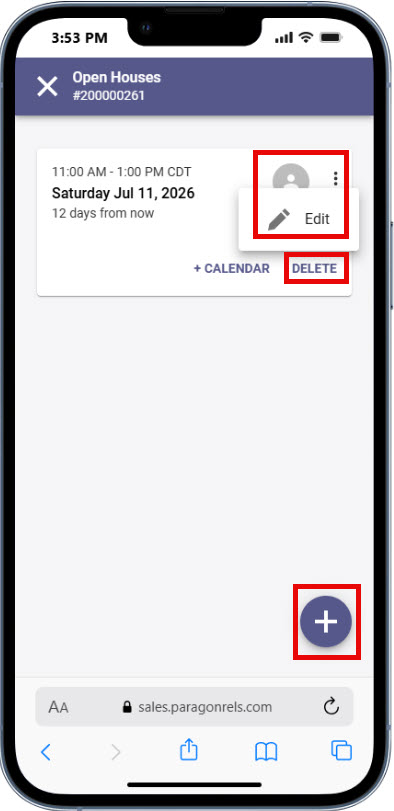
6. Once you have added an Open House it can be Edited, Deleted and additonal Open House dates can be added from the "+" icon in the bottom right corner of the Open House page