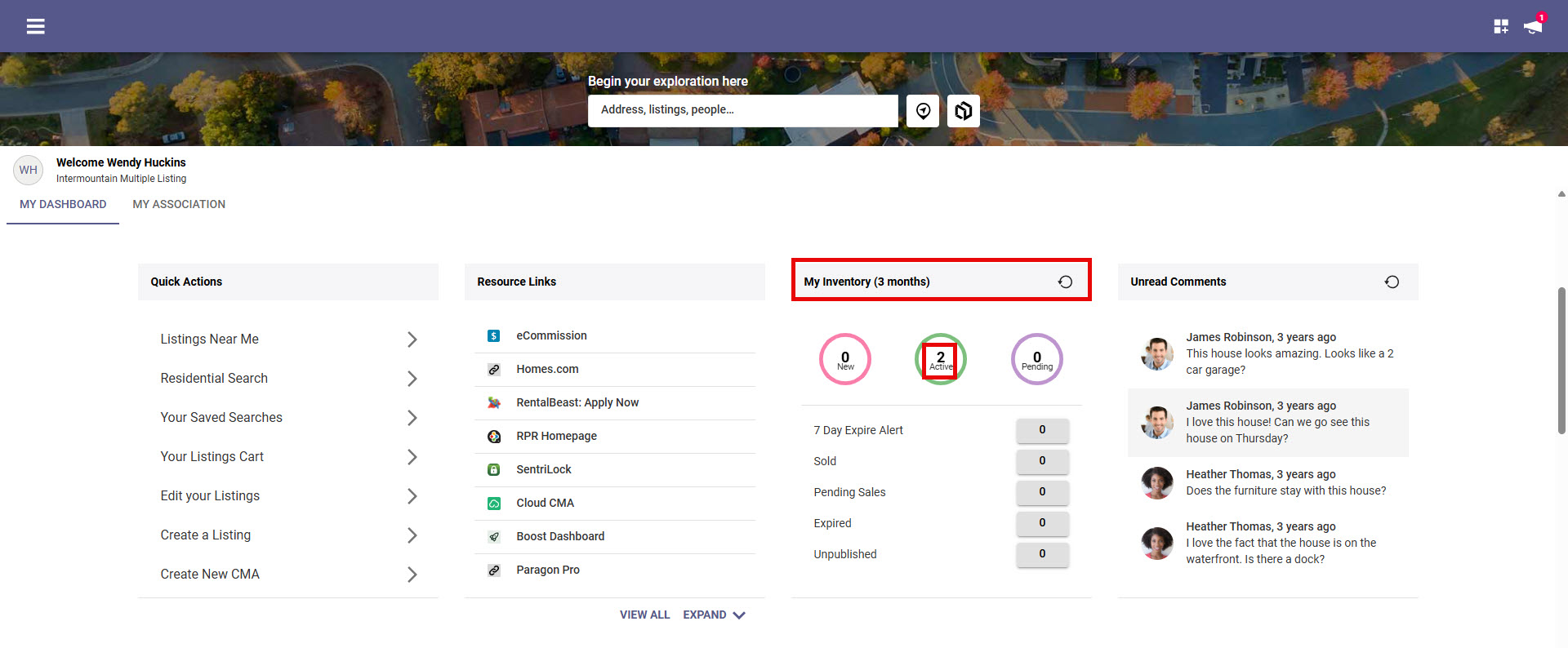
Edit inventory quickly from the Paragon Connect Dashboard "My Inventory" widget.
Step 1: In the "My Inventory" widget, click inside your "Active" circle.
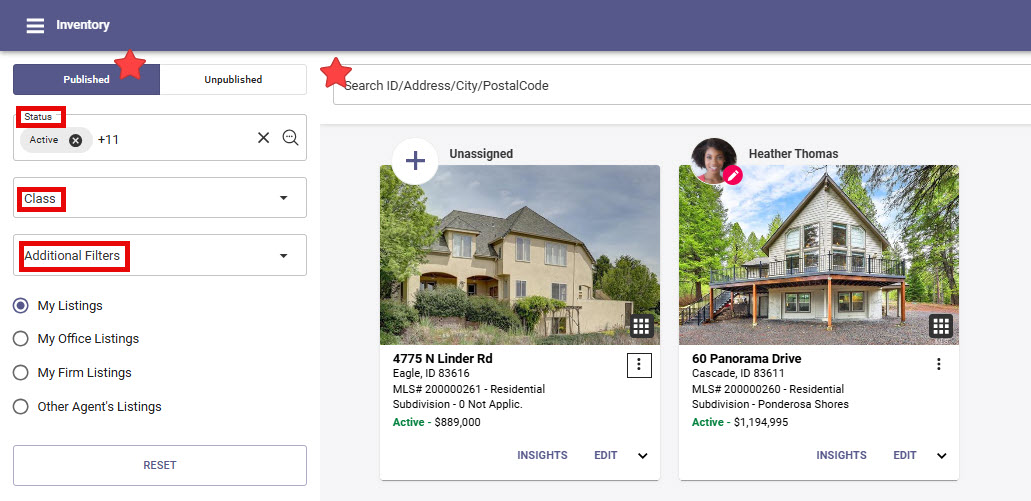
Step 2: From "Inventory" you have multiple options to find the specific listing you want to edit
Toggle between "Published" and "Unpublished" listings
Filter by Status, Class or Additional Filters
Search my MLS#, Address, City, Postal code
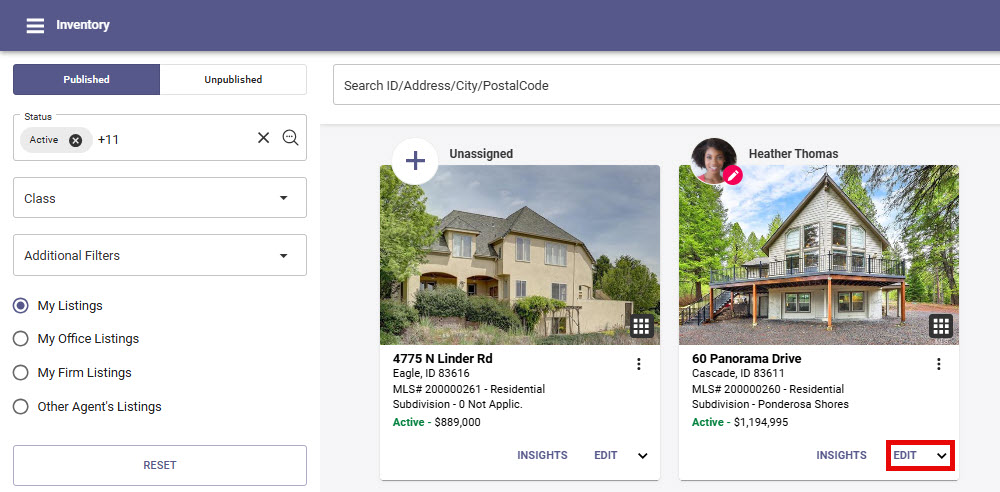
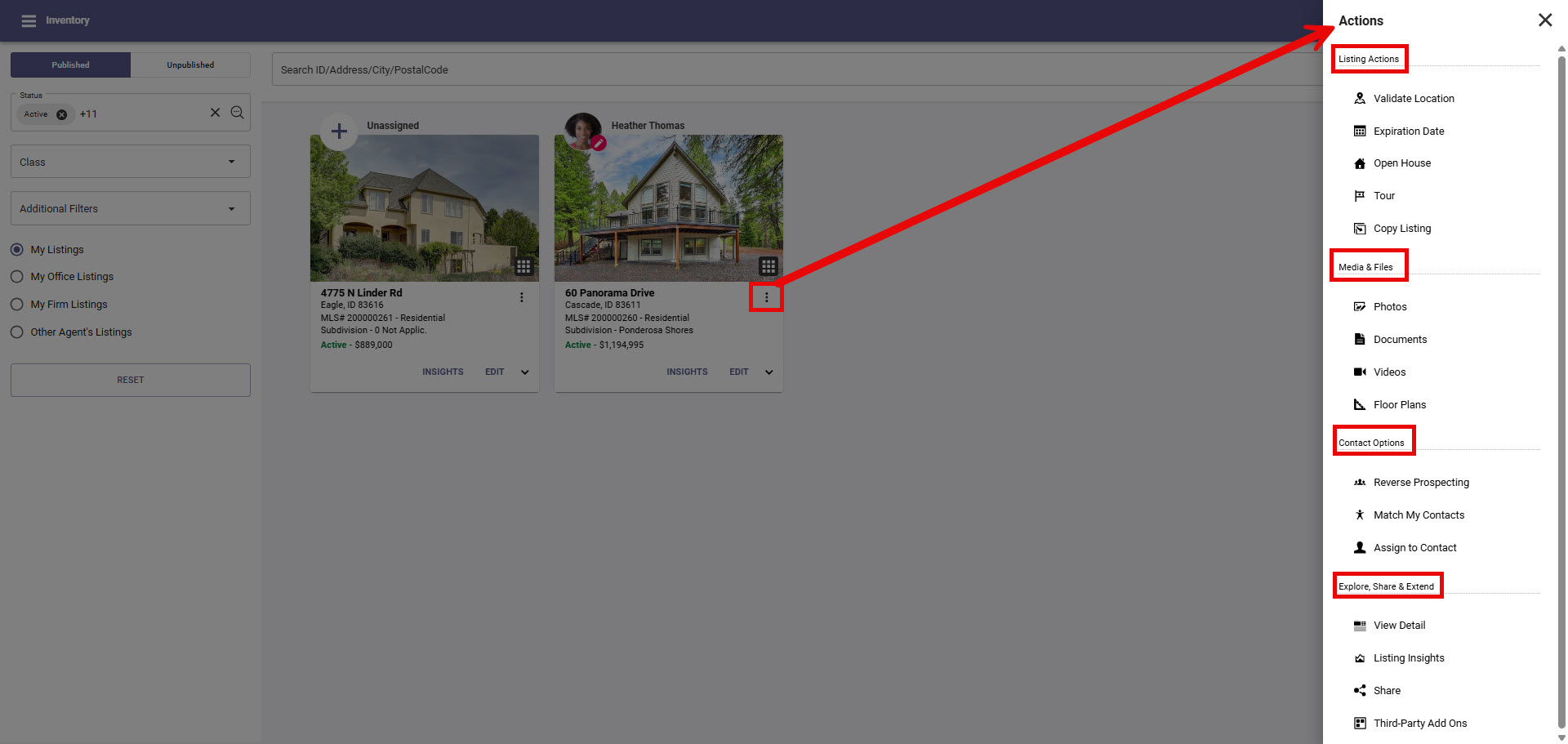
Step 3: You have two options for editing a listing
Select "Edit" to go into full listing maintanence
Click on the "snowman/3 vertical dots" to make quick edits to expiration date, Open Houses, add/edit photos, documents, or floor plans or view property report
Remember to "Save" any edits you make