The Bulletin Board, located in the Message Center box on the Paragon Home page, is your opportunity to market anything you want about your inventory to other members of PrimeMLS. Watch the video to learn how to take advantage of this marketing tool, or follow the instructions below.
Learn more:
Adding a Post to the Bulletin Board
Step 1: Create Post
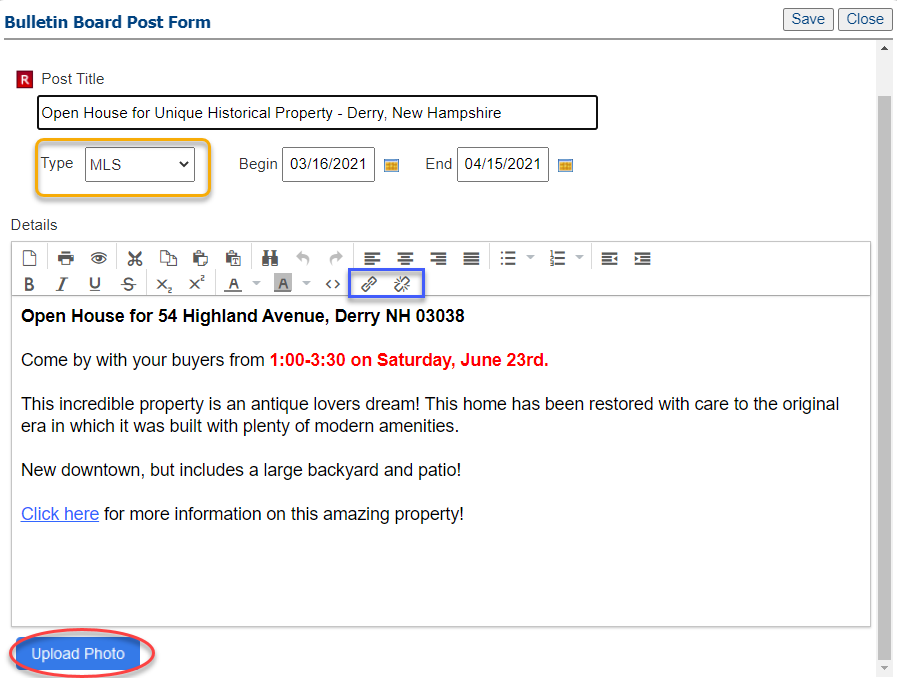
- Begin by clicking Bulletin Board from the Message Center on the Home page of Paragon, then click "Add New Post" in the pop-up. Here you can enter a custom title, set how long you'd like it to display, and the message details. Every word you type is a keyword that can be searched. Every bulletin is available to all members so a best practice would be to include certain details, such as:
| Complete address, including State, City, & Zip Code | MLS Number |
| Event details, like broker tour or open house | Special details about the event (raffles, sponsors, food) |
| Key marketing terms/highlights of the property |
- Set the "Type" to MLS so it will display to all members. Be sure to set an "End" date, especially for events. Text can be customized with colors. Photos and links can be added, too.
Step 2: Save the post
- When you're finished customizing the message, click "Save" in the top, right corner. Your newly created bulletin will be automatically added to the Bulletin Board! On your live post, you'll see a pencil icon and a trash can icon allowing you edit and delete your post.
Reviewing Posts on the Bulletin Board
All posts added to the Bulletin Board will be included, but you can easily filter what you want to see.
Step 1: Click the Bulletin Board from the Message Center on the Paragon Home page and you'll find all posted bulletins.
Step 2: Filter
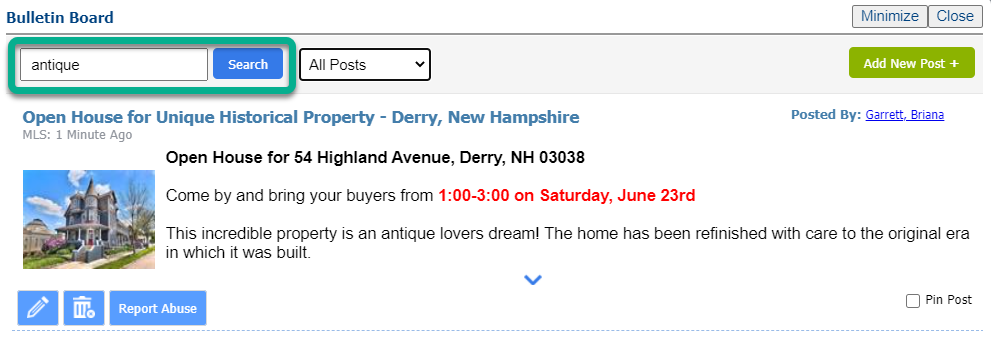
- Filter by area/location, topic, and keywords. Any word in the title or passage that agents type is searchable!
Step 3: "Pin" posts for easy access
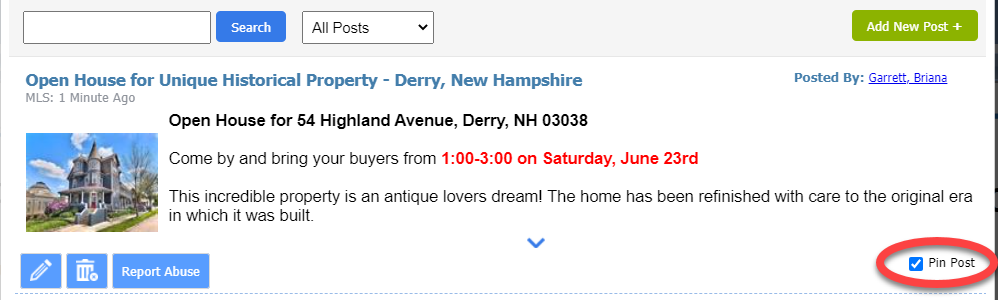
- In the bottom right corner of a post, you can pin a post. This will keep the post at the top of your Bulletin Board for as long as it's available. Multiple posts can be pinned.