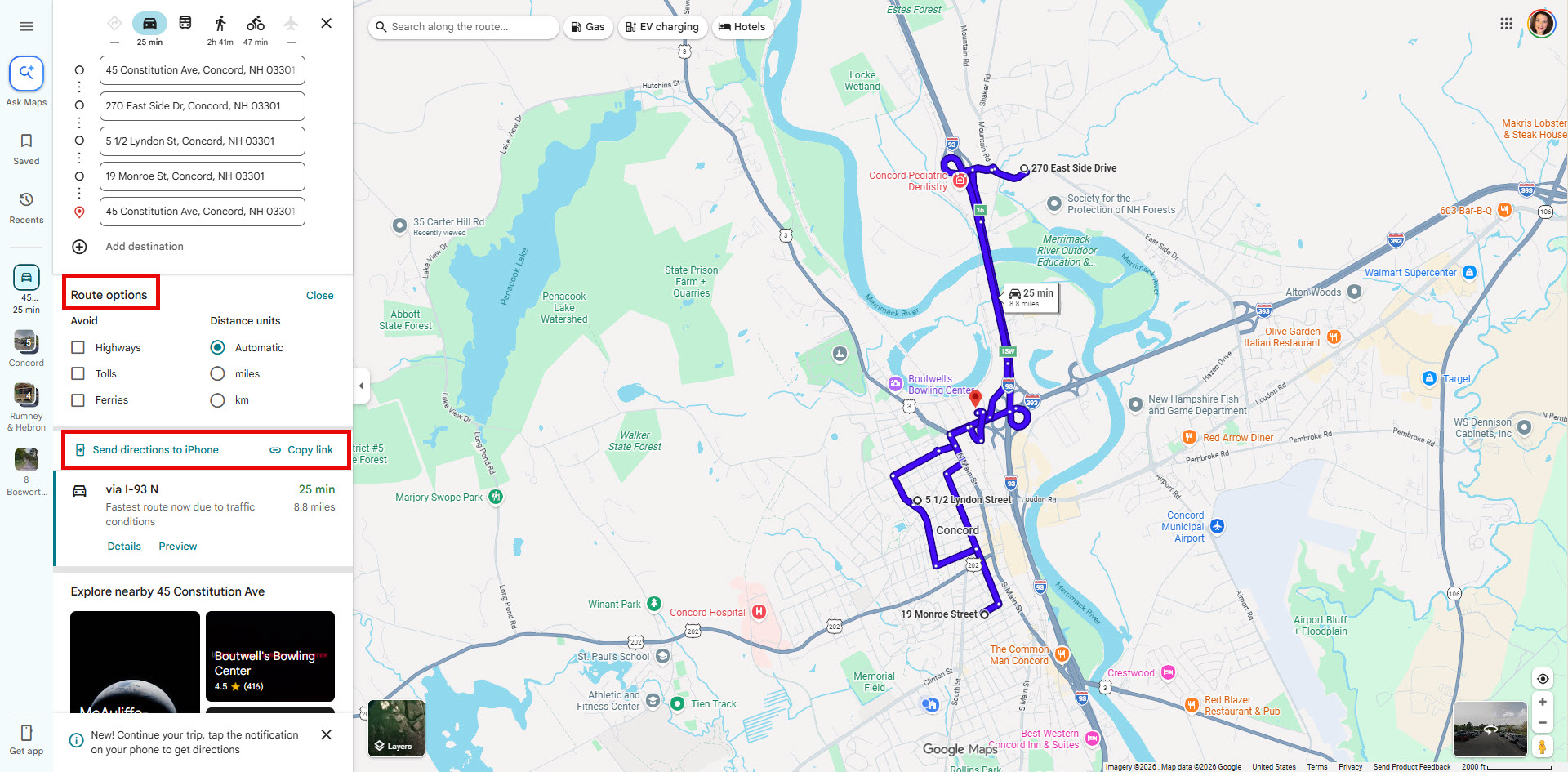
Learn how easy it is to put together driving directions for multiple properties in Paragon Connect with the help of Google Maps!
Driving Directions in Paragon Connect
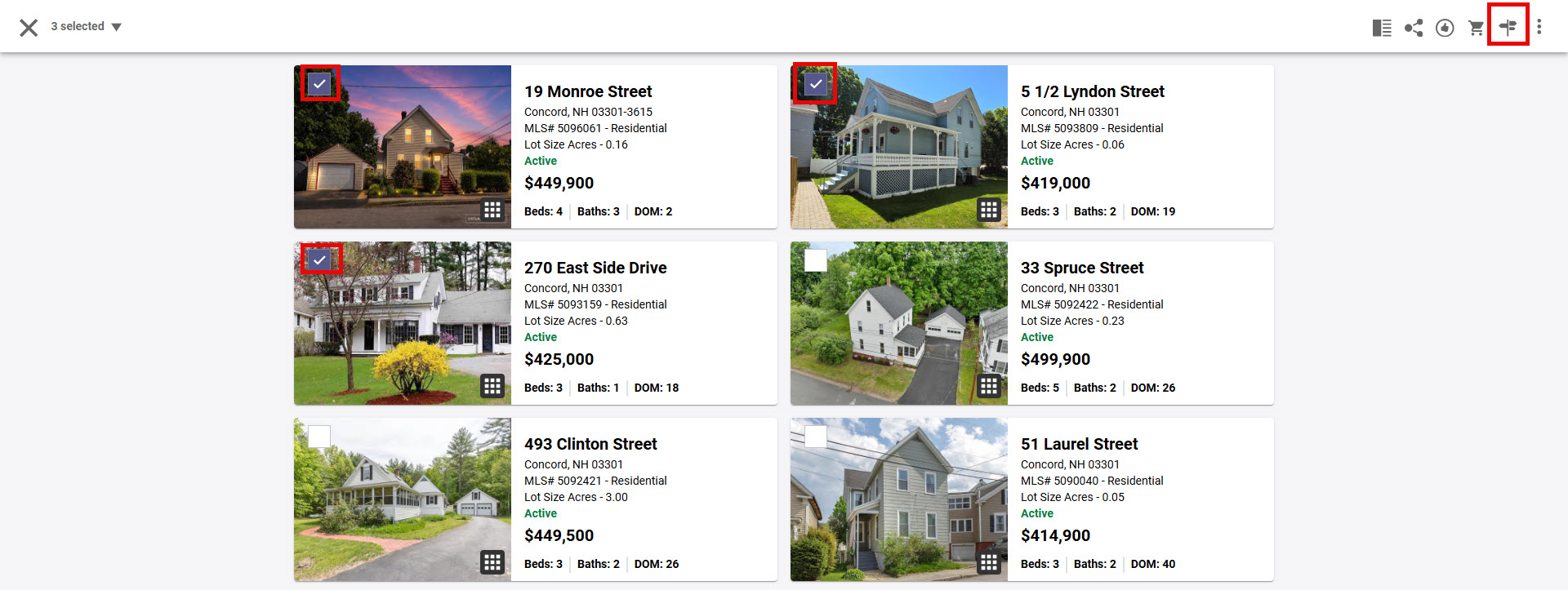
1. From Paragon Connect "Results", once you have selected more than one property, the "driving directions" icon will be available in the top right corner menu options
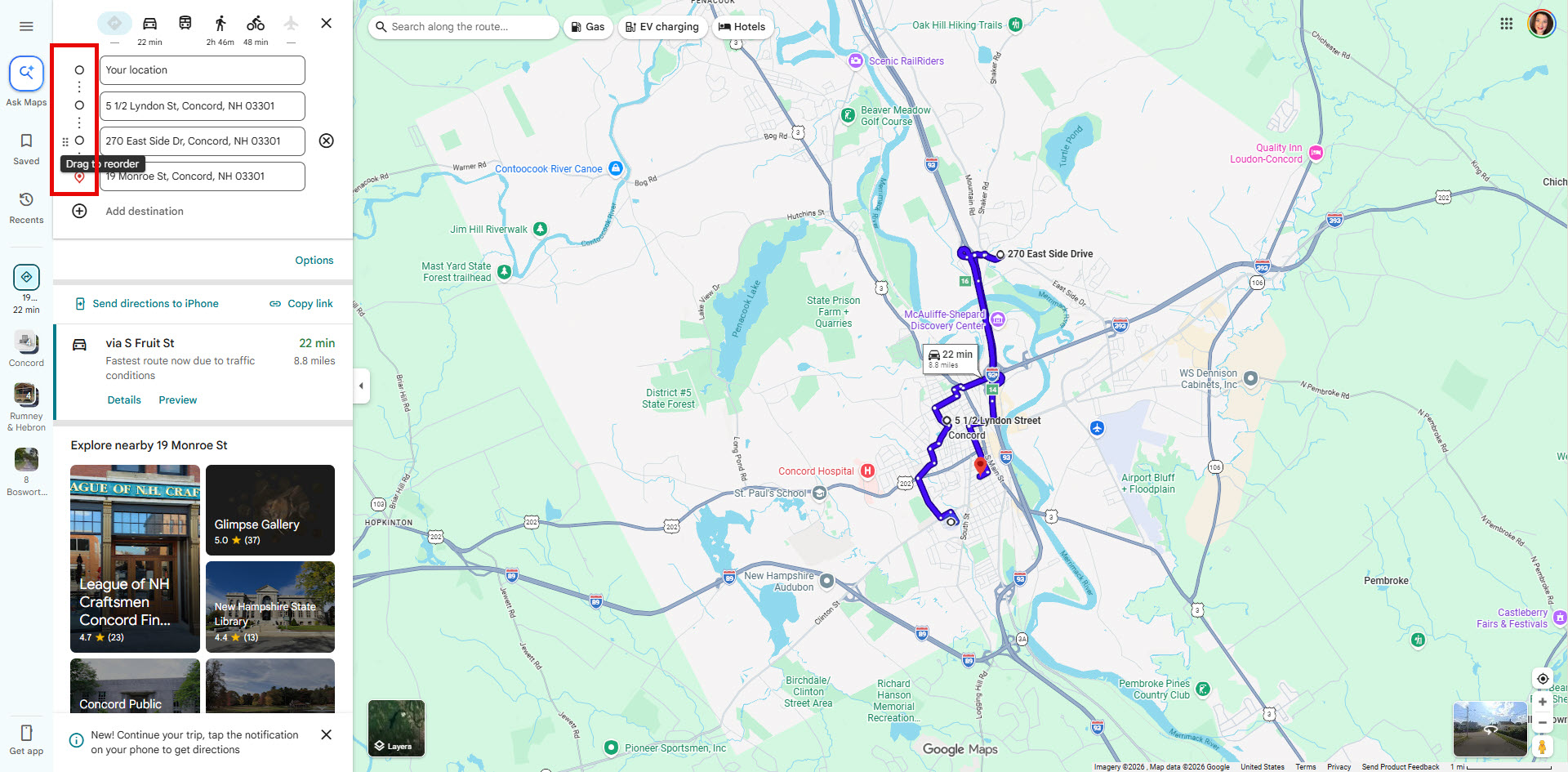
2. The Directions icon takes you to the Google Map where you can drag and drop to rearrange the order of properties
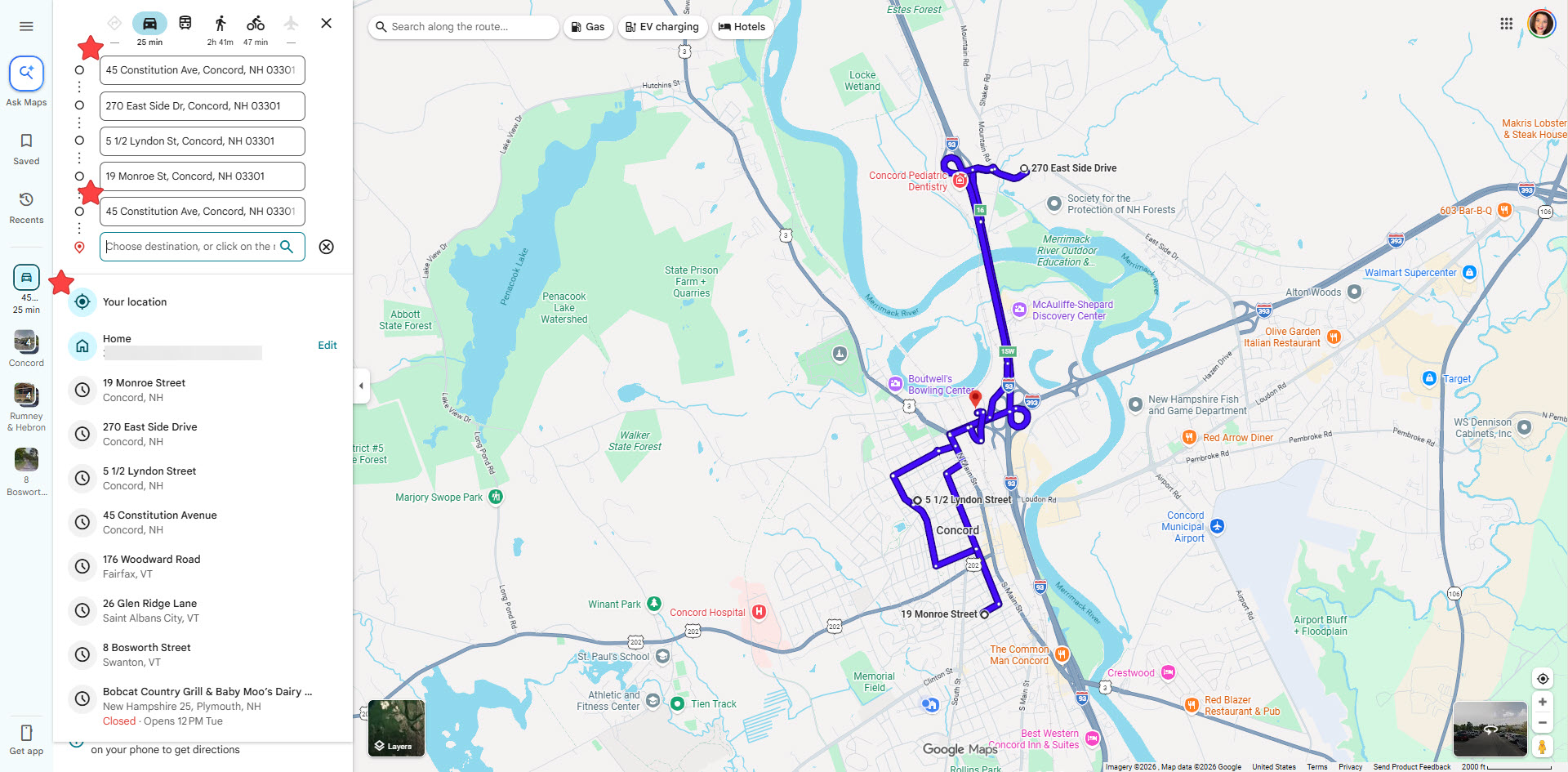
3. Choose your start location from the location list or manually type in a start address and add it as your end location to make a loop
4. Additonally you can choose Route options, send directions to your iPhone or copy link to share directions.