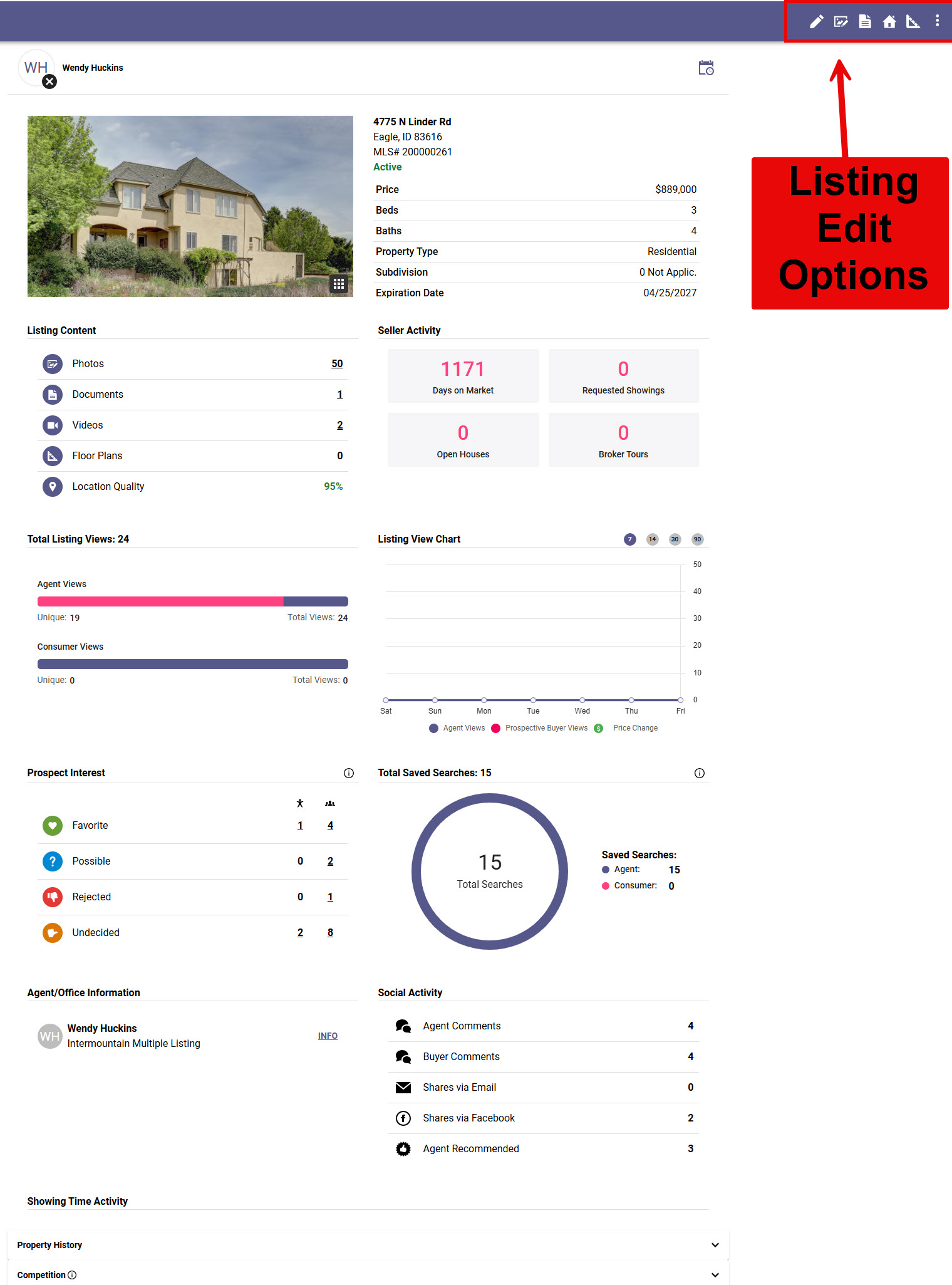
This page will guide you through how to set up your seller's with the Collaboration Center, which allows them to review statistical information on demand for their listing!
Setting Up Sellers with the Collab Center
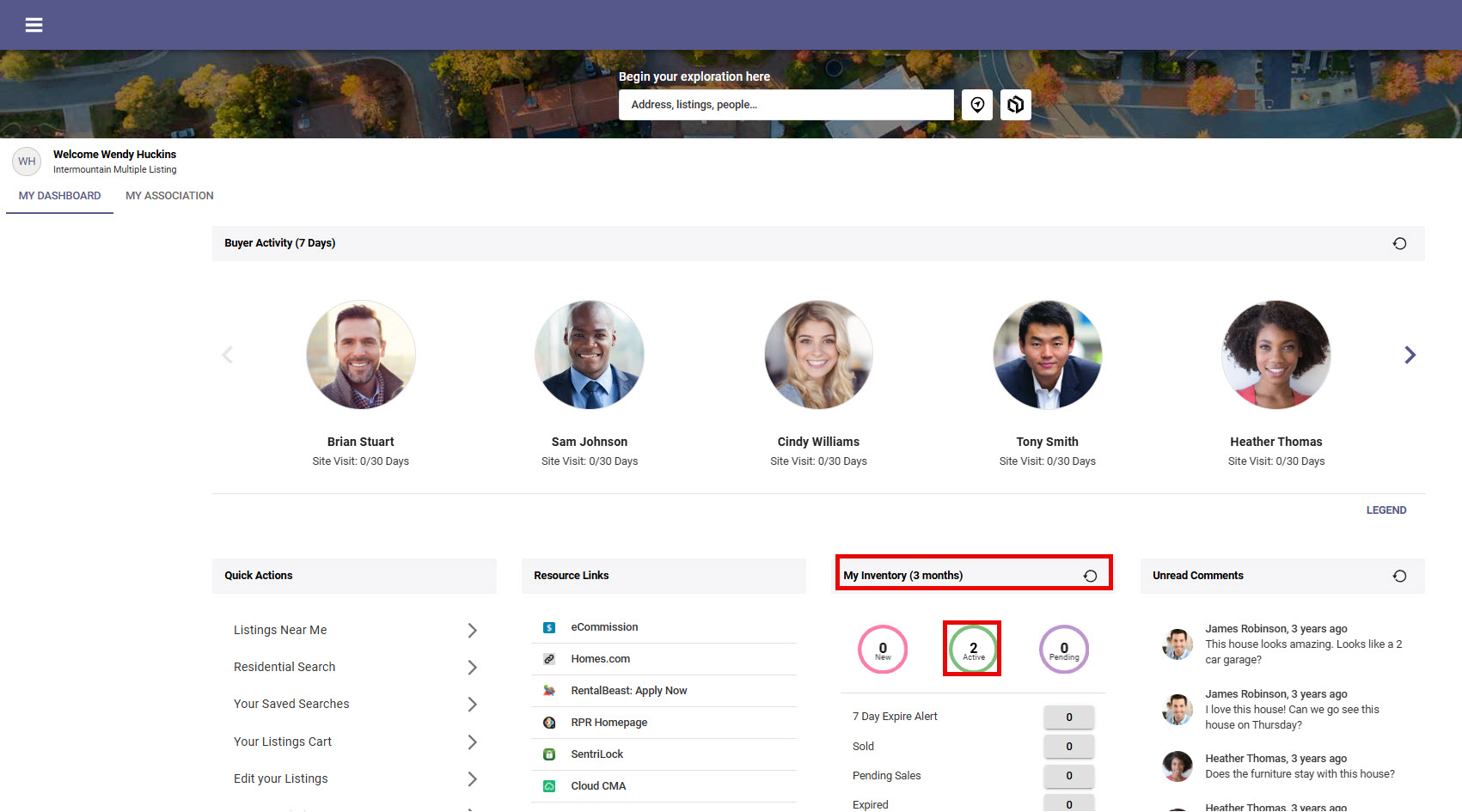
Step 1: Choose the Listing from your Paragon Connect Dashboard
Click on your Active circle to be directed to those options.
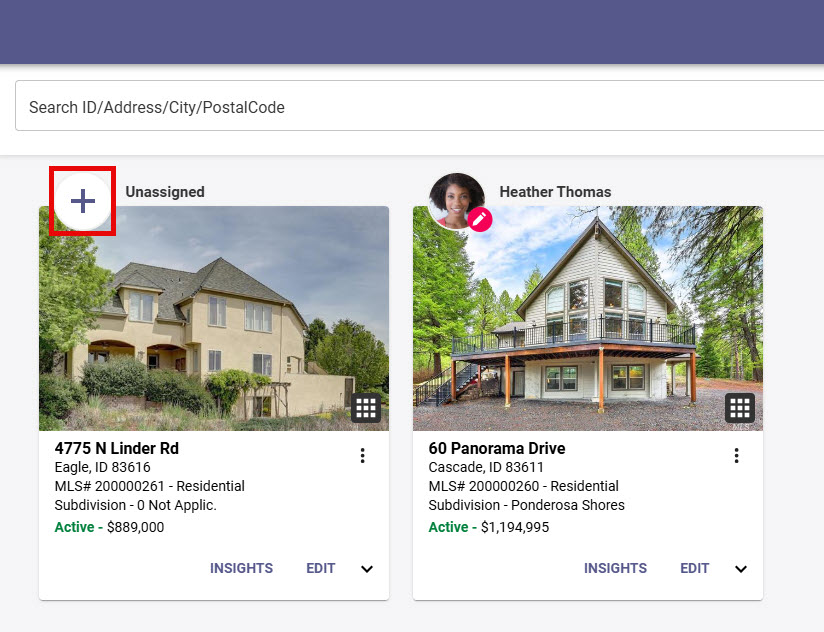
Step 2: Click the "+" to give your Seller access to the Collab Center
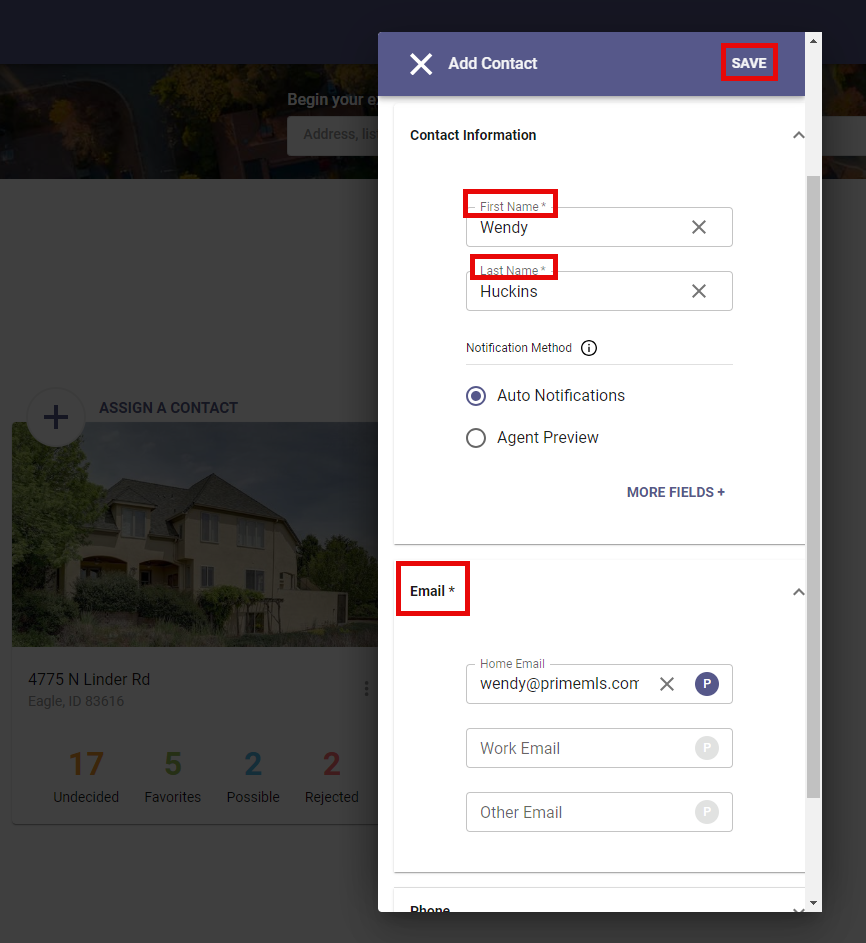
Step 3: Select the Seller from your list of Contacts or use "+" to add them as a Contact
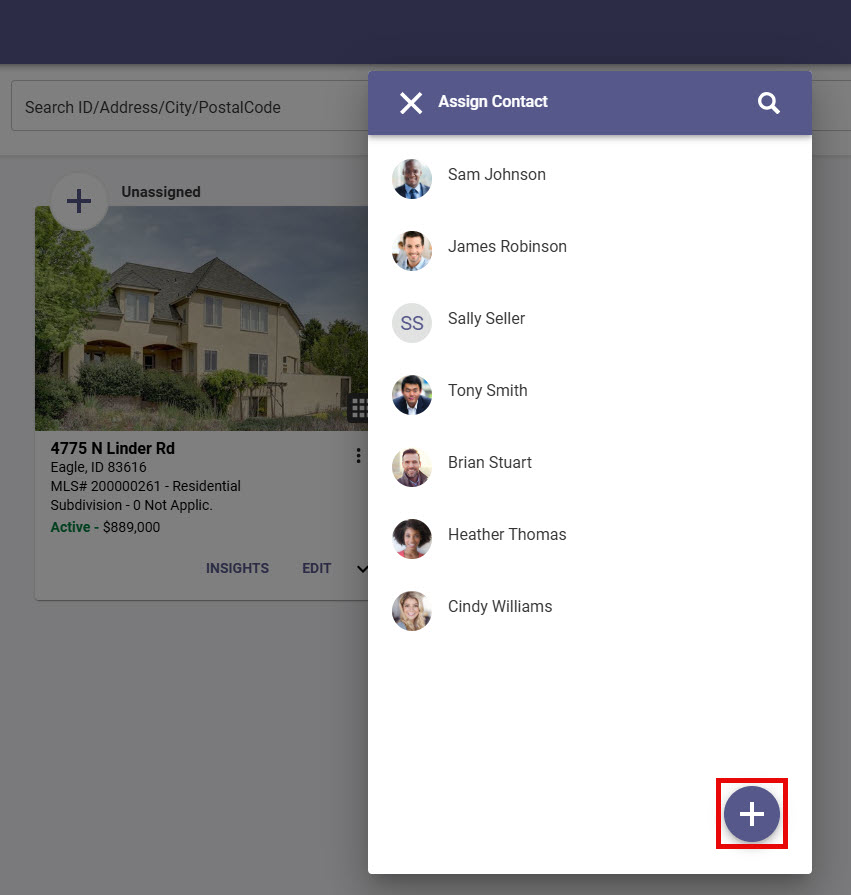
If adding a new contact input First Name, Last Name, Email address and Save.
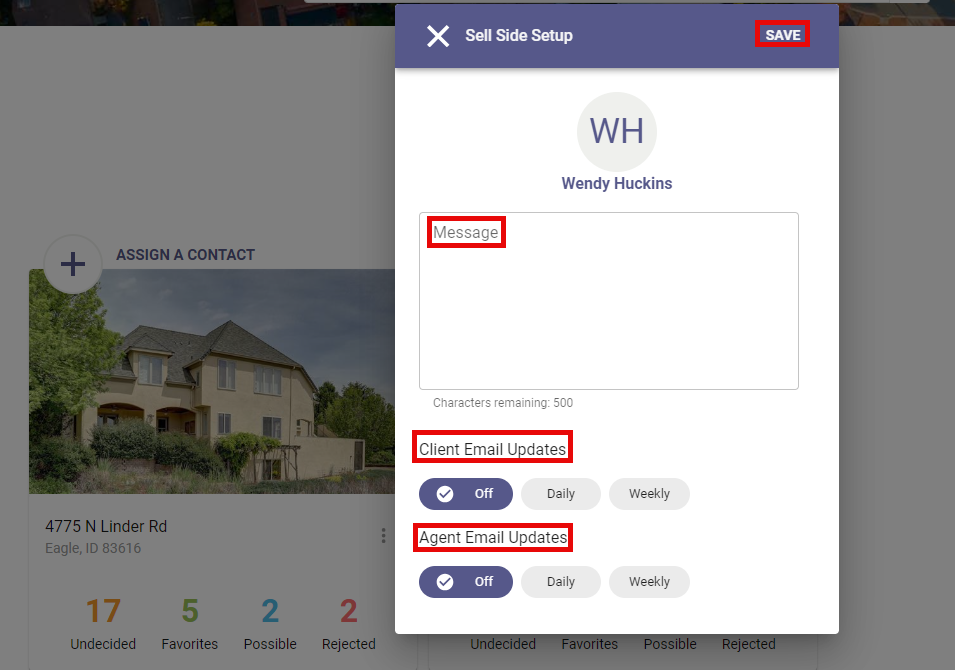
Step 3: Final Setup
You can add a Custom Message to the pre-formatted email that goes out to your Seller.
Enable Daily or Weekly email updates for your Seller and yourself on this final pop-up.
Click "Save."
Step 4: Once you have given your Seller access to the Collab Center, their initials (or photo if added) will display in the circle above the property photo.
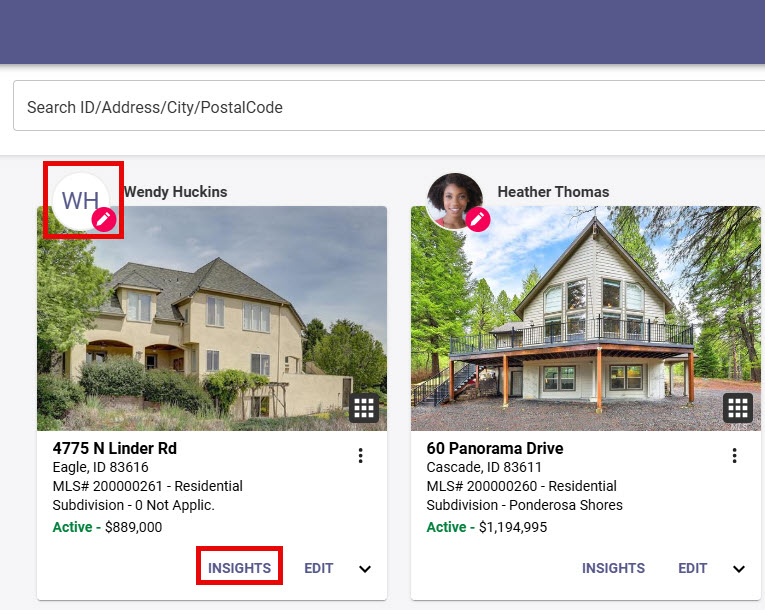
Step 5: Insights
Insights give an overview of Seller analytics and the option to unassign the Seller from Collab Center Access.
Access to editing listing details including documents, photos, open houses and tours is also available in Insights