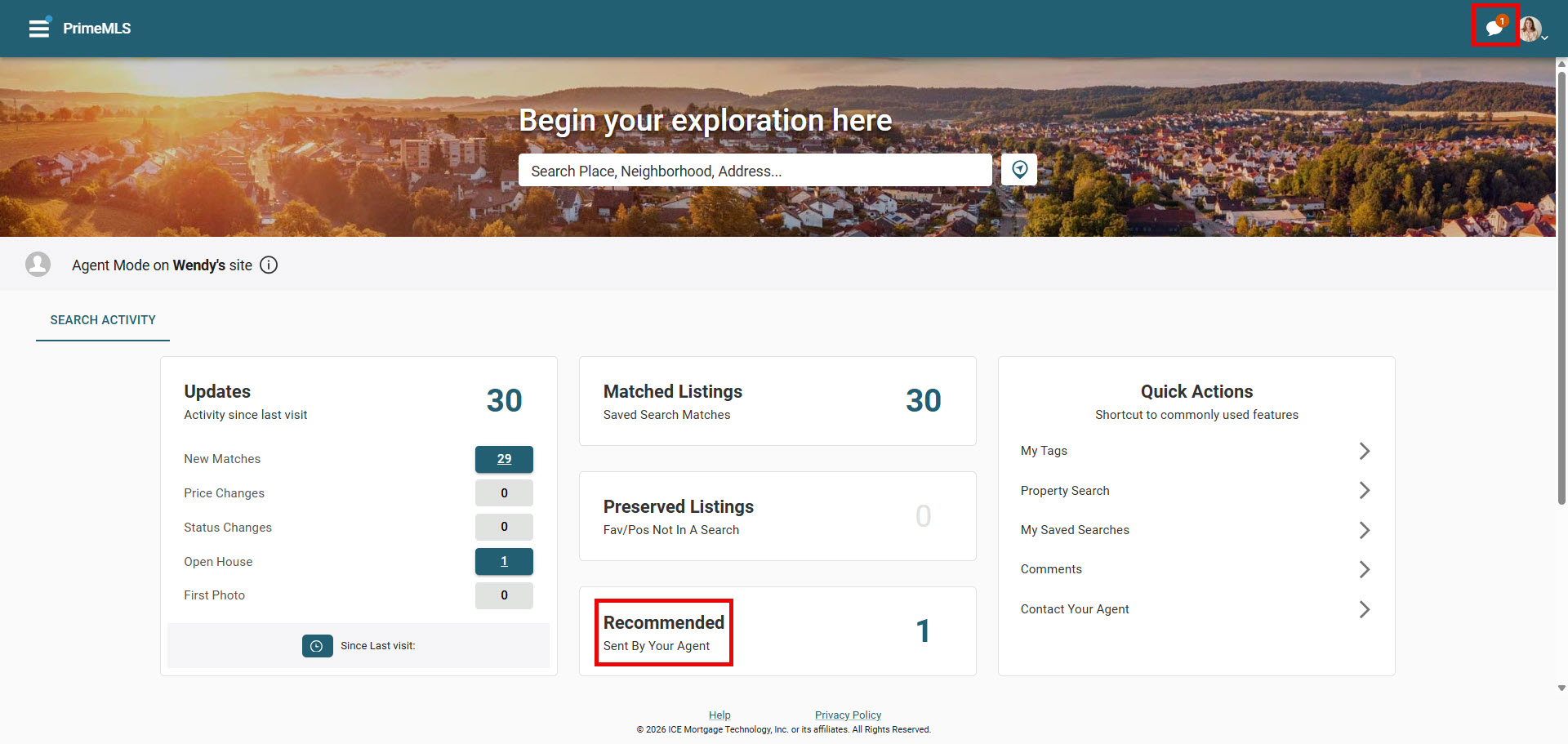
The Collaboration Center for buyers is a portal for them to review listings they are receiving from the system. They can favorite listings, mark others as possible or reject listings. They can add comments and requests showings, which go directly to their agent. They can compare listings and more. All of this can be done on any device, as the portal is entirely mobile friendly. This page covers how to utilize Agent Recommended. Agent recommended is a feature that allows agents to manually add listings into their buyer's Collab Center that they otherwise wouldn't receive automatically.
Adding Listings via Agent Recommended
Step 1: Find the listing
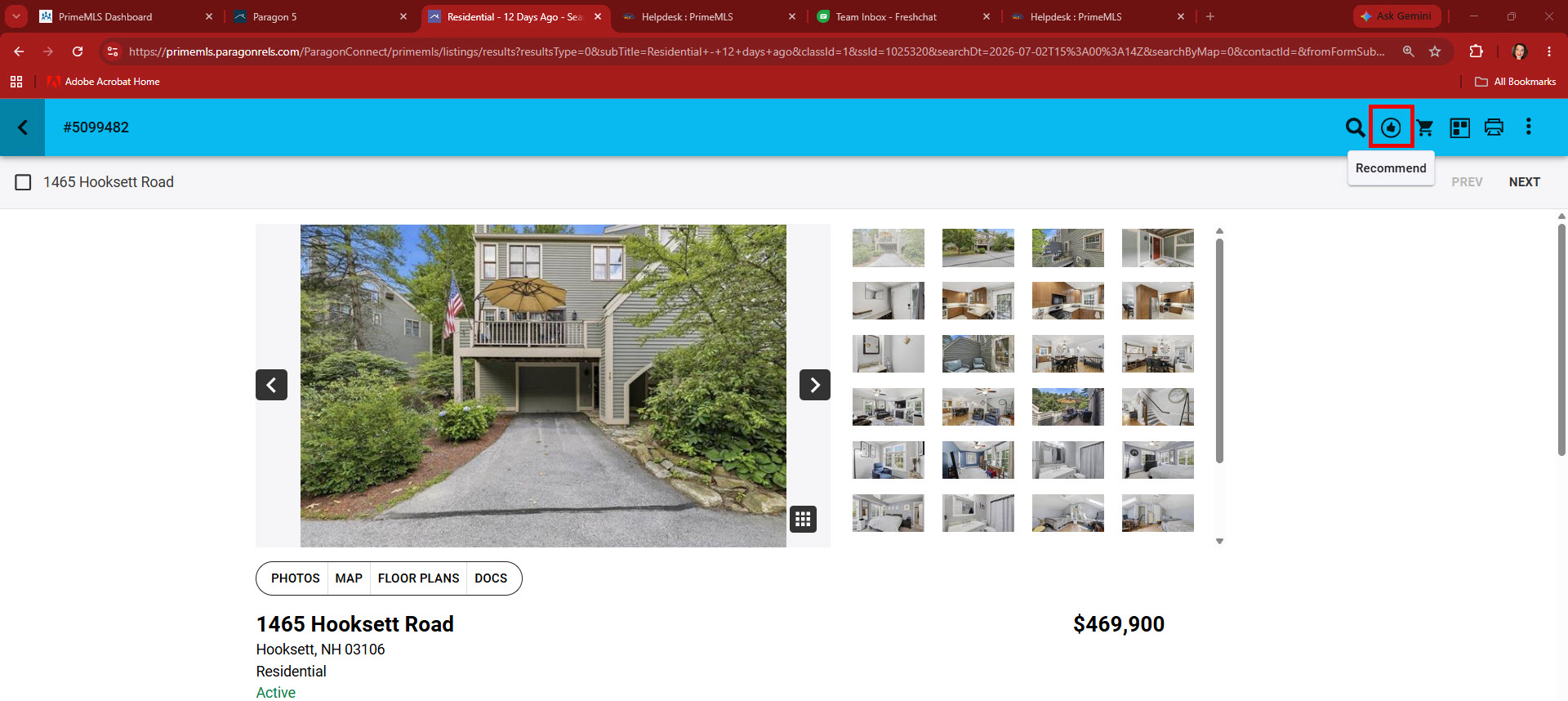
When you are searching the system and find a listing that may work for a contact, click on the top right corner "Recommended" icon of the Paragon Connect property report
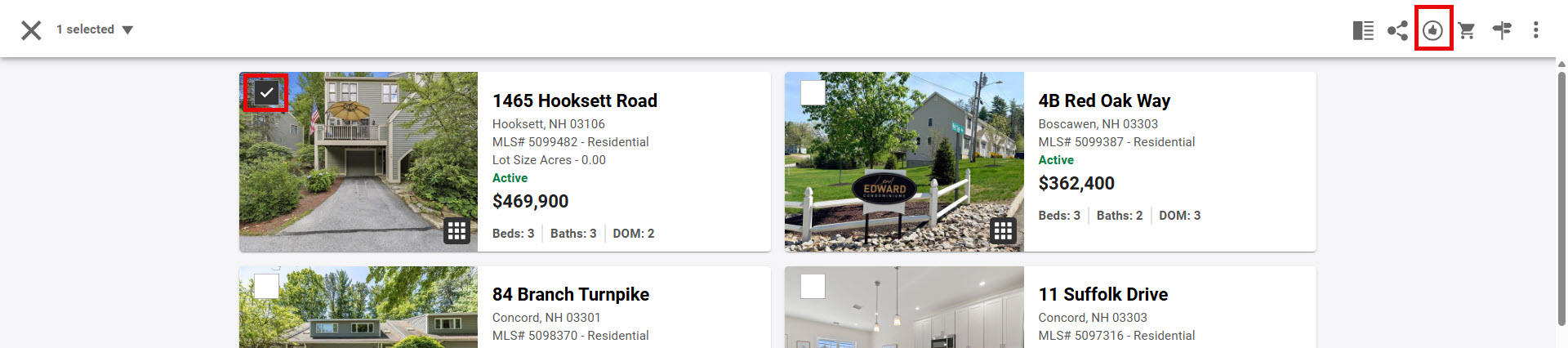
You can also select properties from the Thumbnail and Spreadsheet views to use "Recommended"

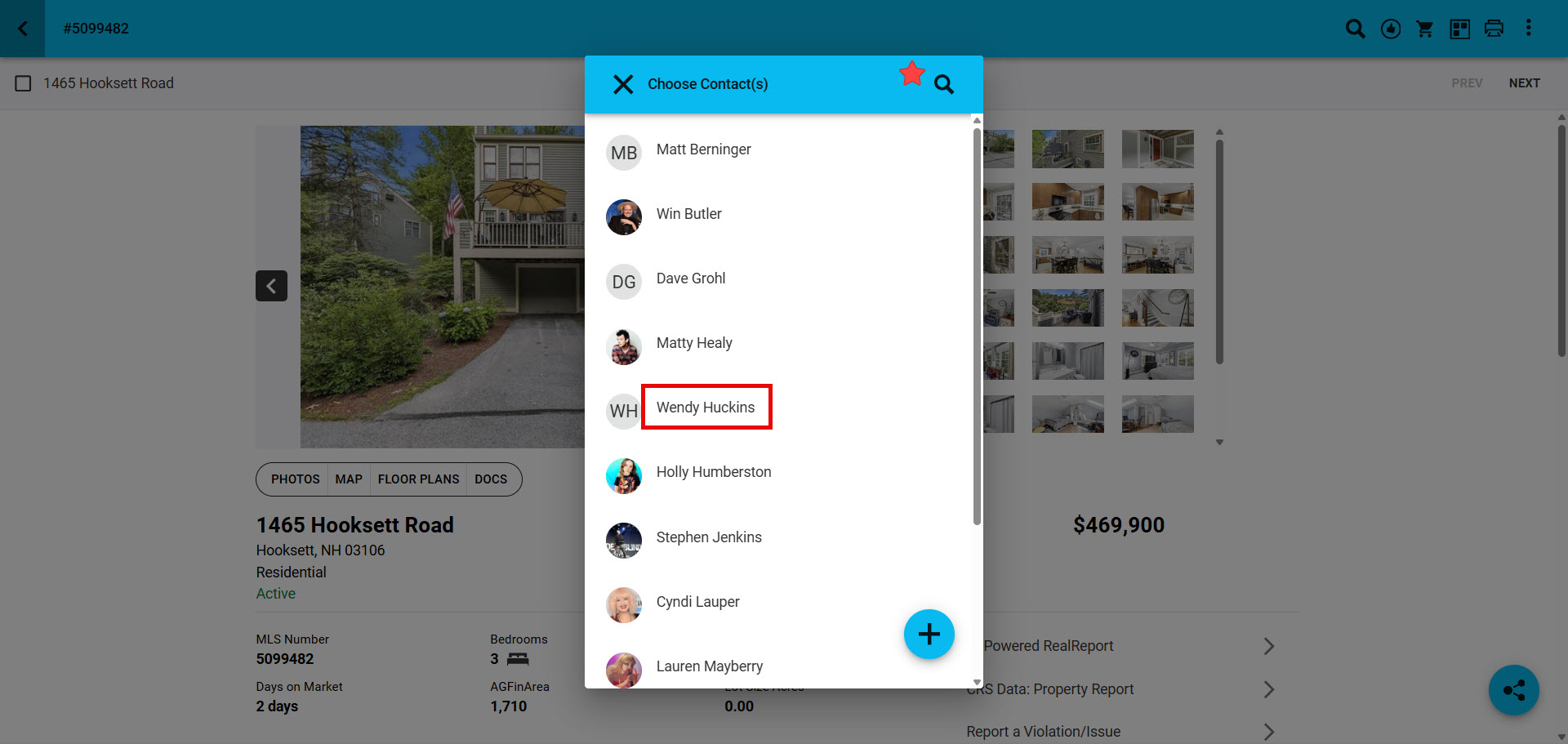
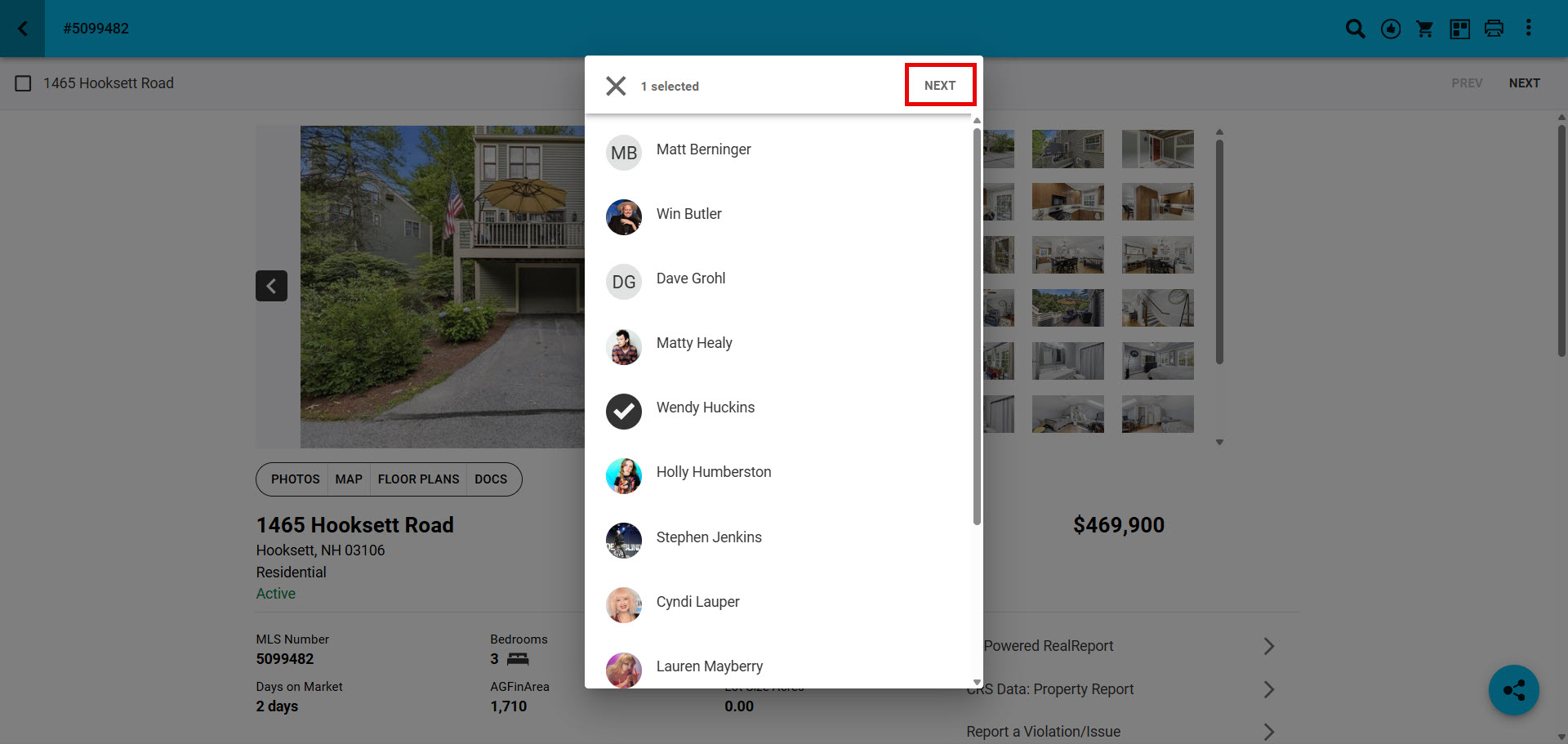
Step 2: Choose the contact
- Use the "magnify glass" quickly find a contact without scrolling through the list of contacts
Step 3: Click "Next"
Step 4: Go Back to the contact's "Buyer Activity" to see the property has been added under "Recommended"
- Click on the "number" to see the Property Report that was added to the contacts Collaboration Center
- Click on the "globe" icon in the top right corner to go into the contacts Collab Center

Step 5: The contact will see a notification in the top right corner with the recommened property details and will also see recommended property details under "Recommended"