Want to send listings your buyers didn’t know they needed? With Agent Recommended in Paragon Connect, you can share listings outside your client's saved search and stand out as the expert. Add custom comments to highlight key features and trigger instant push notifications in the Collab Center app! Watch now to learn how to boost engagement and deliver real value.
This video shows you how to use Agent Recommended, particularly the custom comments feature. Plus, you'll learn how to share the unique code buyers and sellers need to access the Collab Center app!
Using Agent Recommended in Paragon Connect
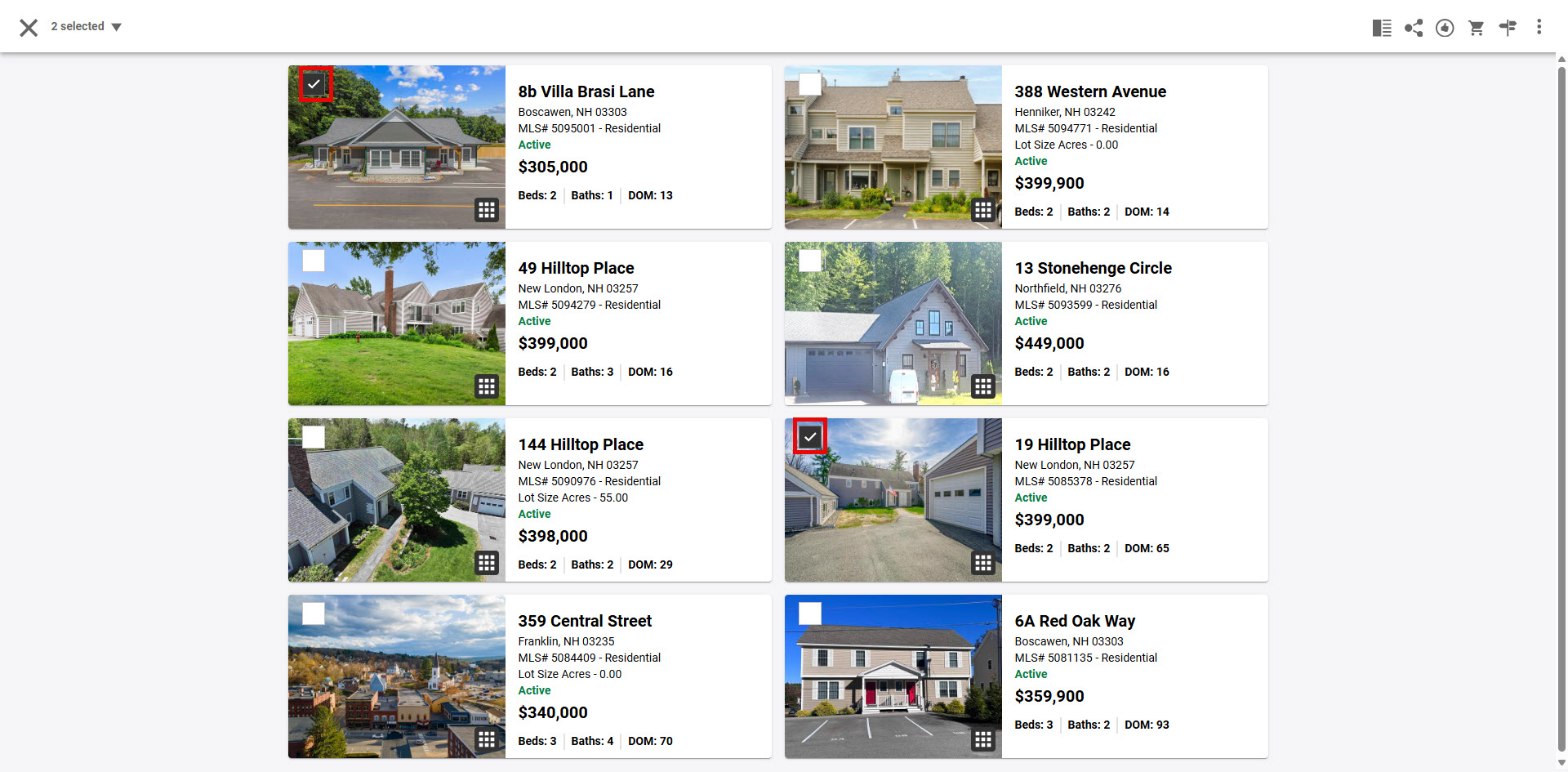
1. From Paragon Connect results: select the property, or multiple properties, to share with a Contact.
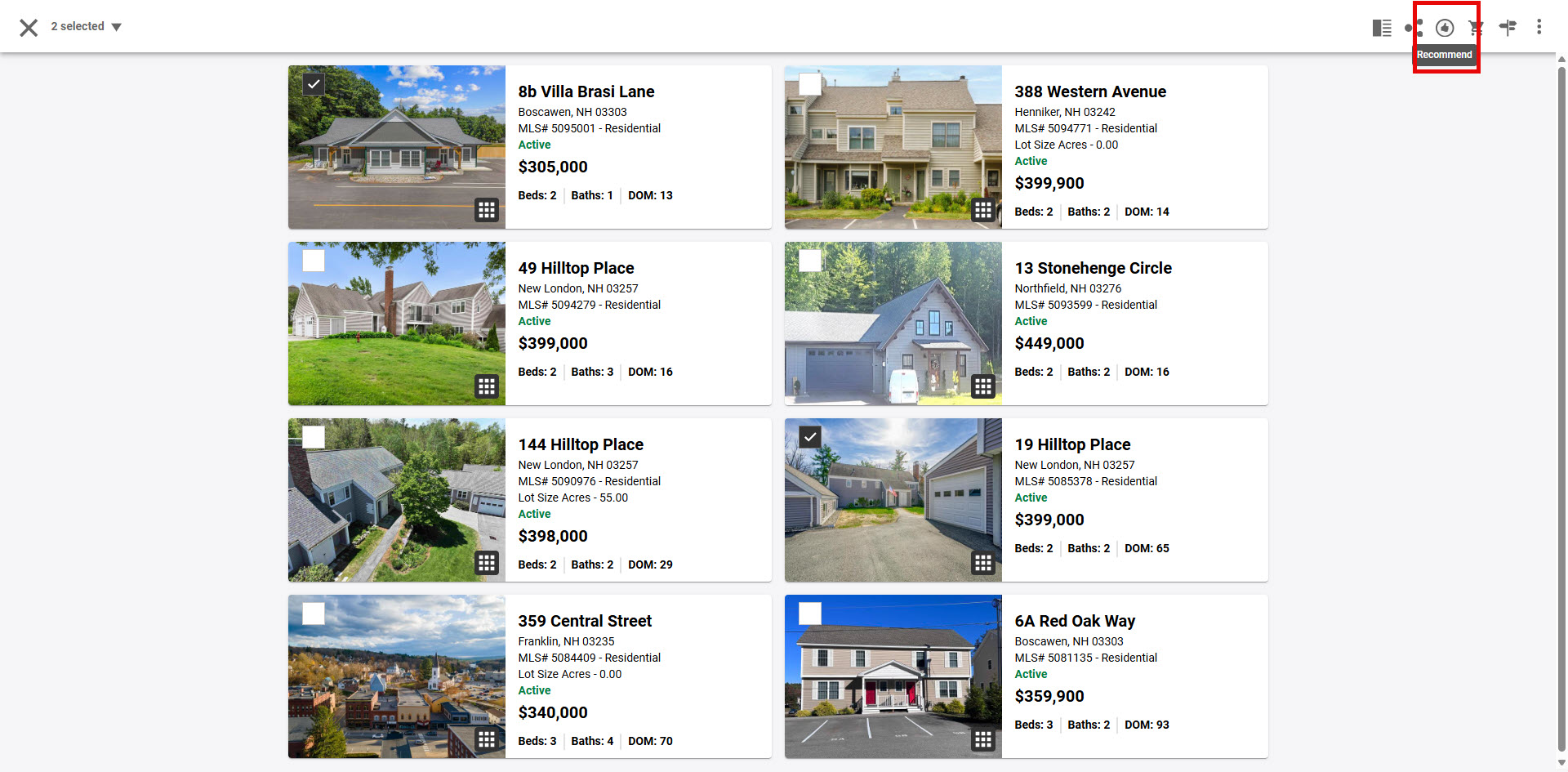
2. Click on the "Recommend" icon in the top right corner.
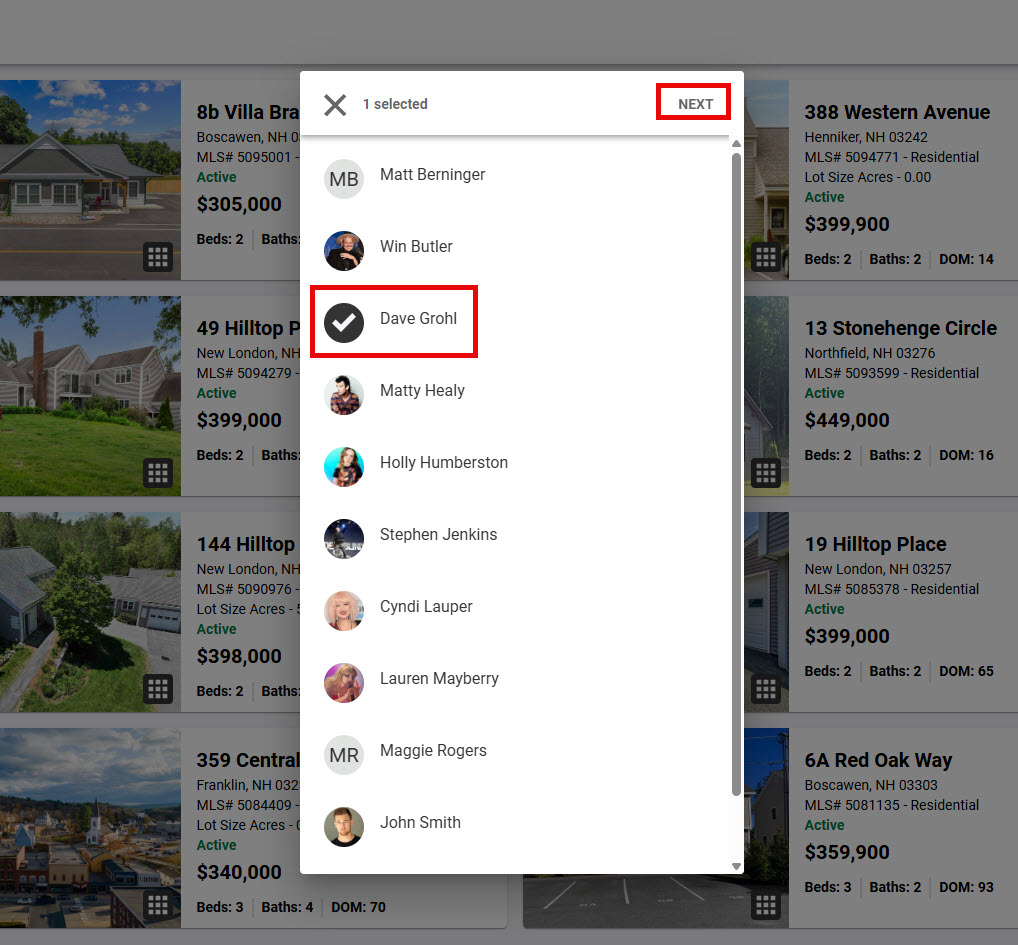
3. Choose the contacts name and click "Next".
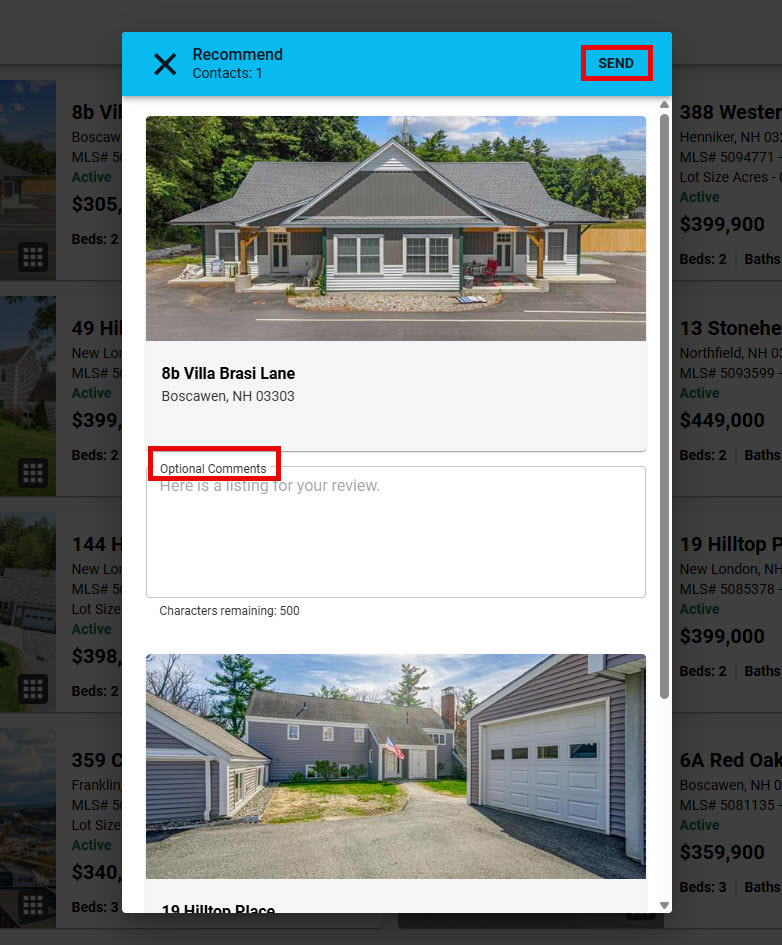
4. Type a custom comment or use the default comment and click "Send". The listing will be emailed based on the contacts configuration you've already set and, if your contact is using the Collab Center app, the custom or default comment will create a push notification like many other apps they are using daily.