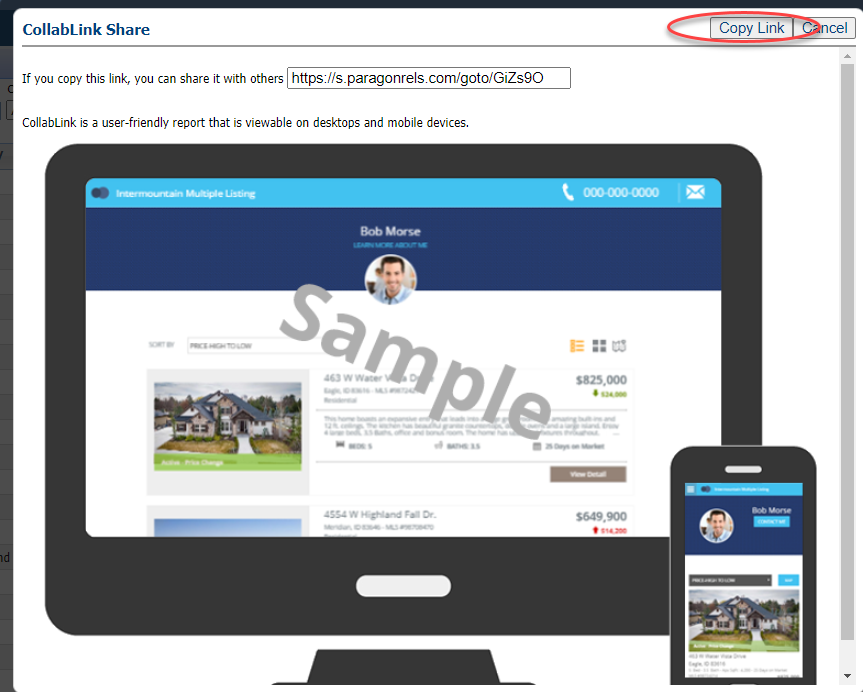
Through listing maintenance, you can share your listings to different social media outlets, plus create a link that can be easily shared anywhere! Sharing listings produces the "collablink" which is viewable on any device and includes public documents, a mortgage calculator, community reports, map, street view and more.
CHOOSE A SHARE OPTION:
Share to Facebook
Step 1: Find the listing to share
Go to the Listings menu and select "Listings."
Find the listing by filtering by Status or Class or searching by address or MLS number.
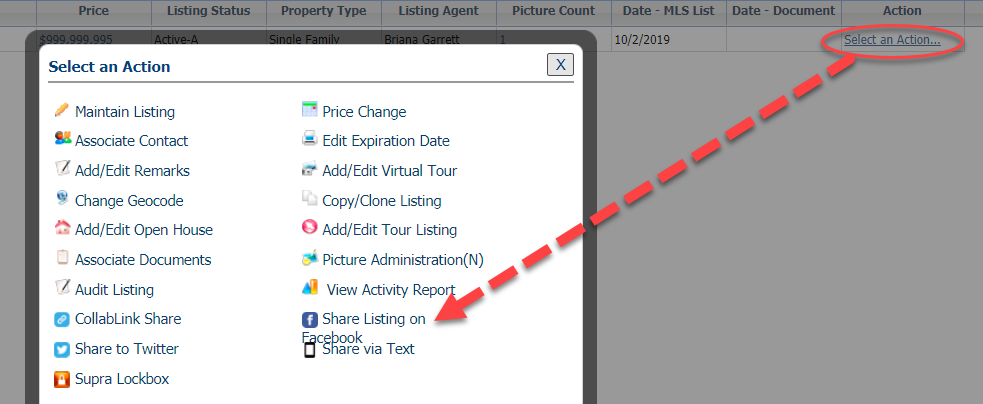
Once you find the listing, click "Select an Action."
Step 2: Share
In the pop-up, choose "Share Listing on Facebook."
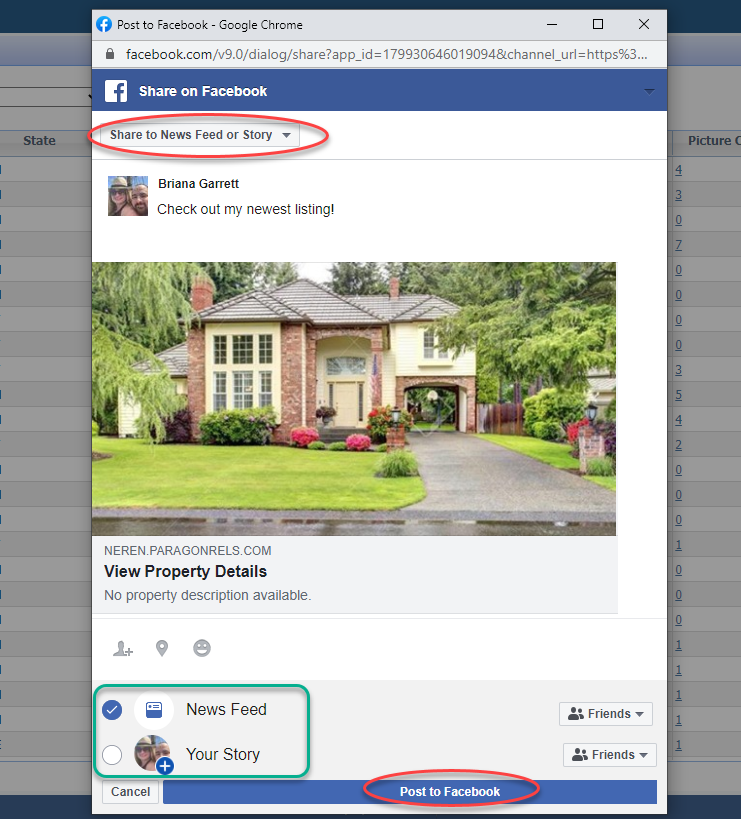
This will open a Facebook pop-up. Pop-up blockers must be turned off to allow this.
The first time you share, you'll need to login to your Facebook account via the pop-up.
Once logged in, you'll be navigated to share your listing.
You can share it to your newsfeed or story. Also note you can share to pages, groups, and more.
Type a status, then click "Post to Facebook."
Share to Twitter
Step 1: Find the listing to share
Go to the Listings menu and select "Listings."
Find the listing by filtering by Status or Class or searching by address or MLS number.
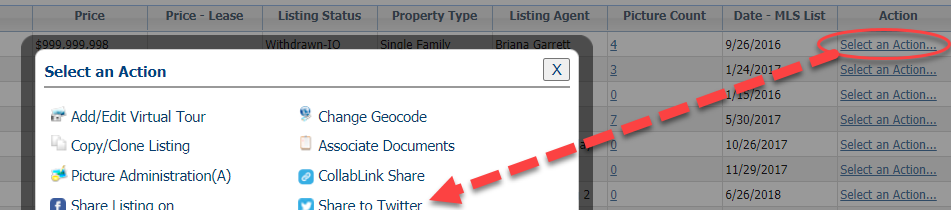
Once you find the listing, click "Select an Action."
Step 2: Share
In the pop-up, choose "Share to Twitter."
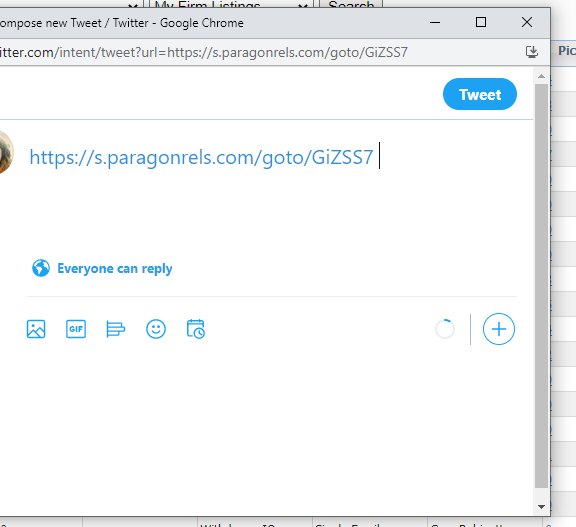
This will open a Twitter pop-up. Pop-up blockers must be turned off to allow this.
The first time you share, you'll need to login to your Twitter account via the pop-up.
Once logged in, you'll be navigated to share your listing.
A link will be populated as part of the tweet.
Compose the remainder of your tweet and click "Tweet."
Collab Link
This produces a link that can be easily shared anywhere!
Step 1: Find the listing to share
Go to the Listings menu and select "Listings."
Find the listing by filtering by Status or Class or searching by address or MLS number.
Once you find the listing, click "Select an Action."
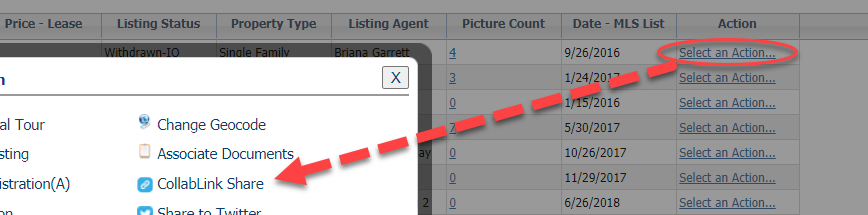
Step 2: Share
In the pop-up, choose "Collablink Share."
This will open a the Collablink pop-up that includes a mock up of the display.
Click "Copy Link" or highlight the provided link and copy it.
Paste anywhere!