
In Paragon Professional, you can select listings from your results and easily put together driving directions with the help of Google Maps. Watch the video or follow the below instructions to learn how! The video starts with Paragon Connect and finishes with Paragon Professional.
Obtaining Driving Directions
Step 1: Select Listings
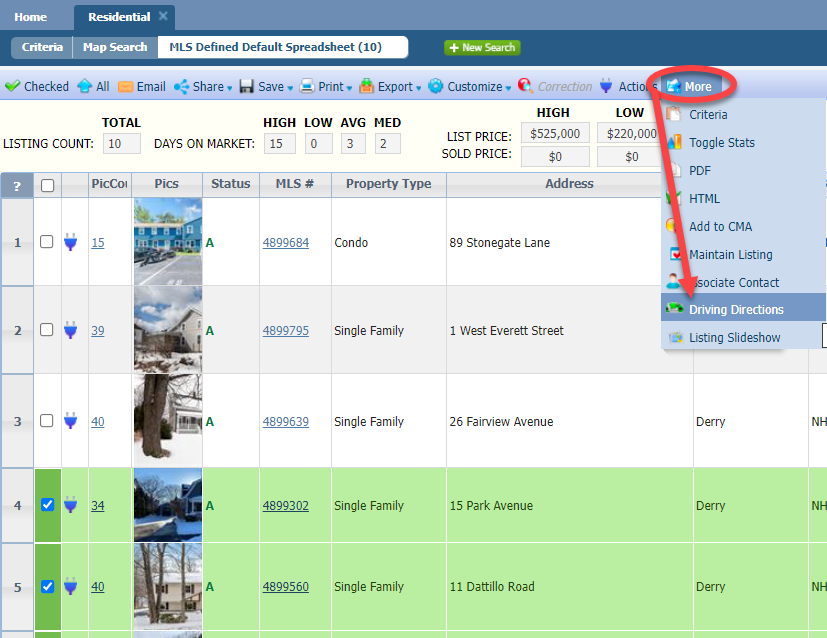
Select the listings for which you need directions.
Click the "More" button from the toolbar.
Select "Driving Directions."
Step 2: Choose the Starting Location
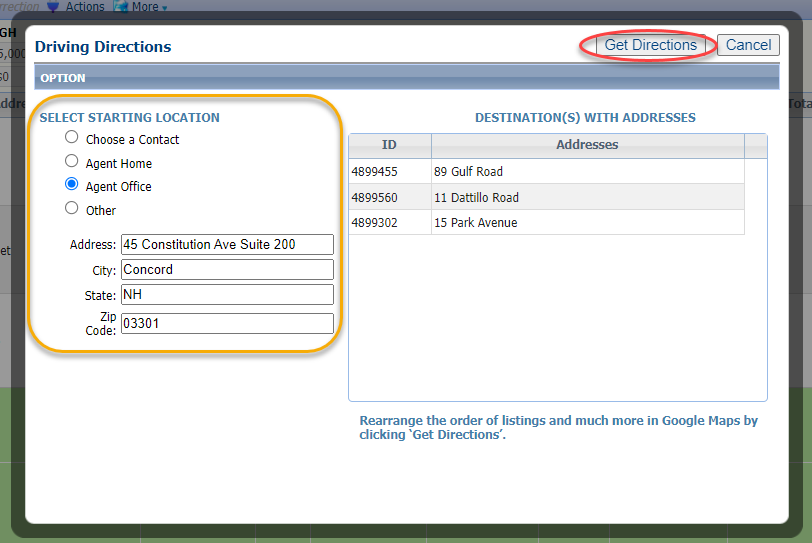
In the pop-up modal, you'll have options for a starting location.
The default is your office.
Choose "Contacts" to select from the contact's you have saved with an address
Choose "Other" to input a custom starting location.
Once the selection is made, click "Get Directions."
Step 3: Customize in Google Maps and Share
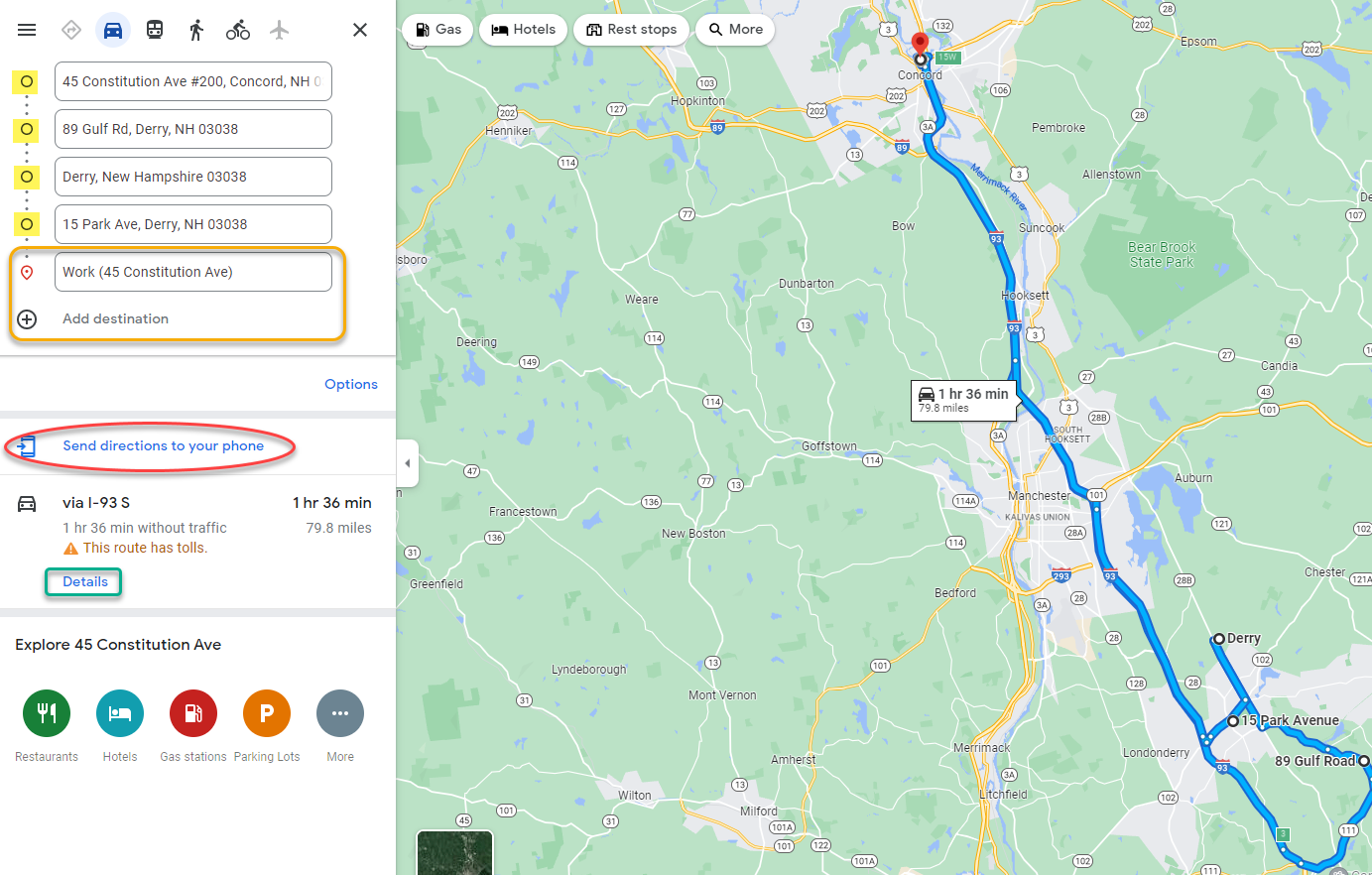
Upon clicking "Get Directions," a new browser tab will open to Google Maps
Rearrange the addresses, as needed, but holding the circle next to the address and dragging up and down. The map will adjust accordingly.
Add additional addresses as needed, included the starting location to make it a loop.
Click "Send Directions to your Phone" to receive the route via email or text, which can then be shared with whoever else needs it.
Click "Details" to review turn-by-turn directions.
In the pop-up modal, you'll have options for a starting location.
The default is your office.
Choose "Contacts" to select from the contact's you have saved with an address
Choose "Other" to input a custom starting location.
Once the selection is made, click "Get Directions."
Upon clicking "Get Directions," a new browser tab will open to Google Maps
Rearrange the addresses, as needed, but holding the circle next to the address and dragging up and down. The map will adjust accordingly.
Add additional addresses as needed, included the starting location to make it a loop.
Click "Send Directions to your Phone" to receive the route via email or text, which can then be shared with whoever else needs it.
Click "Details" to review turn-by-turn directions.